Altova AI in the XMLSpy XML Editor

XMLSpy integrates with the Altova AI Server, an Altova-hosted service that brings context-aware AI assistance into the XML editing environment. Available as an optional add-on, it provides smart support for a wide range of development tasks.
Because the AI understands the schema and document you're working on, its suggestions are immediately useful — no copy-pasting between tools, no generic answers. Tasks that once took hours of manual work can now be completed in minutes.
See how it works in the video below.
Altova AI in the XMLSpy XML Editor
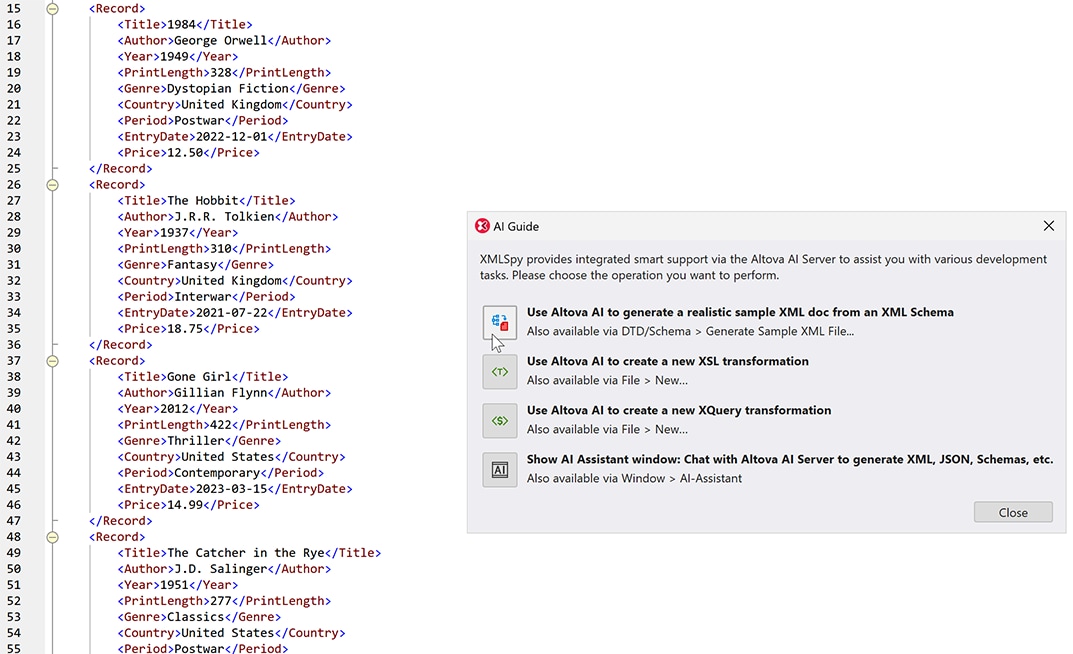
With Altova AI, it's finally easy to generate test data that actually looks like real data. Altova AI reads your XML Schema and produces a realistic, semantically meaningful sample document. It doesn't just produce random valid data — it interprets the meaning of the schema elements and produces plausible values (realistic names, dates, addresses, etc.).
Beyond saving hours of manual work, realistic sample data leads to better testing — surfacing edge cases that generic placeholder values would mask — and lets teams demo, document, and prototype without exposing real production data.
Writing XSLT and XQuery transformations is one of the most time-consuming parts of working with XML — Altova AI handles it for you.
Simply specify your source and target XML documents, and Altova AI generates a transformation that maps one to the other in seconds.
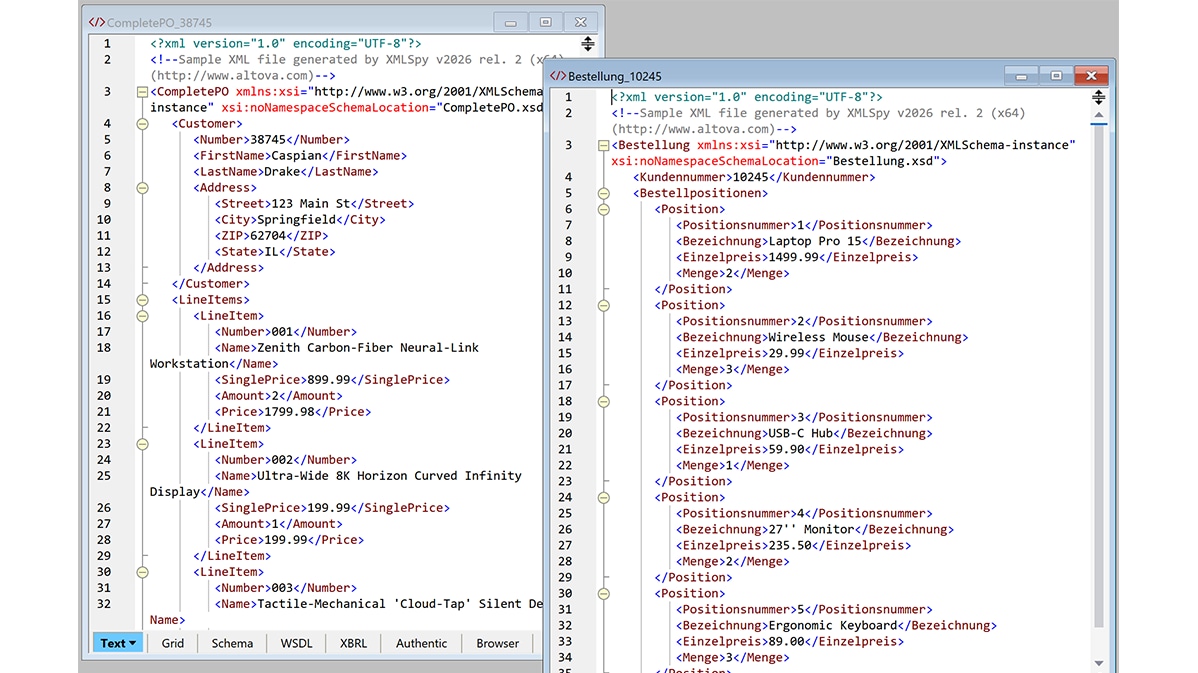
For instance, take the two purchase order XML files below. One is in English, and one is in German. They represent the same data, but the English file needs to be transformed before it can be written to the German accounting system.
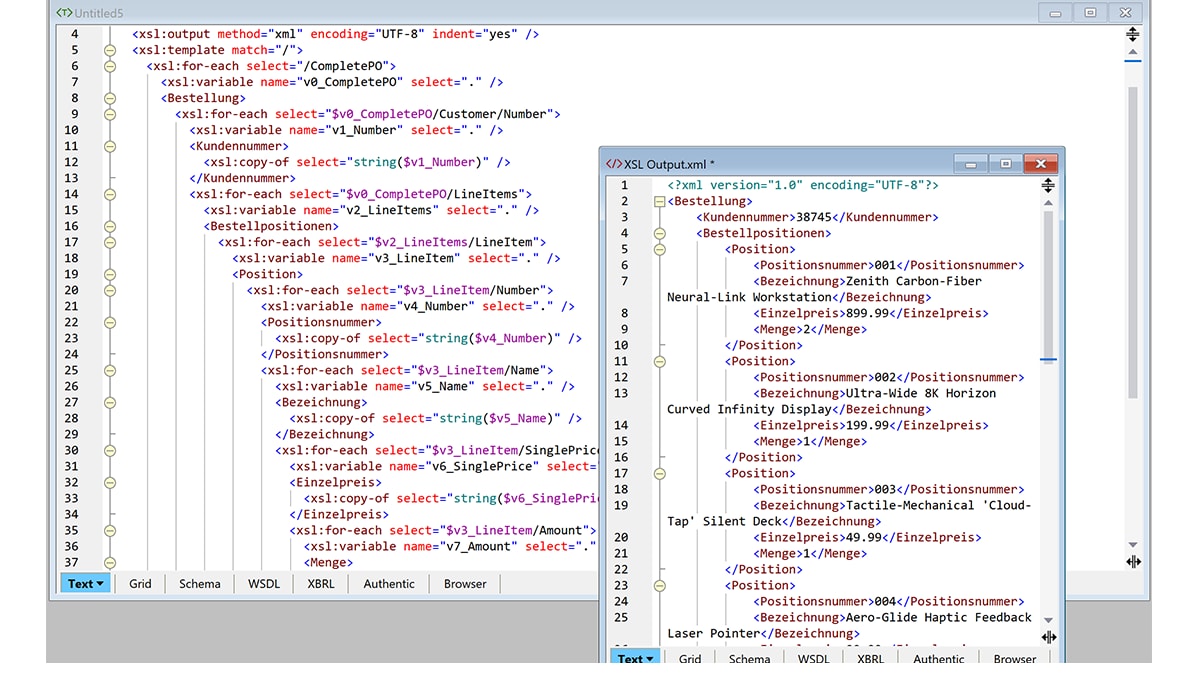
Altova AI reads both files, recognizes that semantically equivalent fields are named differently in each language, and produces an XSLT transformation that maps between them. When we run the transformation, the output is a correctly mapped XML file with German elements — no manual field-by-field coding required.
The same functionality is available for producing XQuery transformations using Altova AI.
The generated XSLT or XQuery is standard, fully editable code that you can refine using XMLSpy's built-in editing, debugging, and optimization tools whenever needed.
XMLSpy includes an AI Assistant that you can chat with to to generate XML, JSON, schemas, and other content based on your current working context — no need to copy-paste code into an external tool.
Sample queries include:
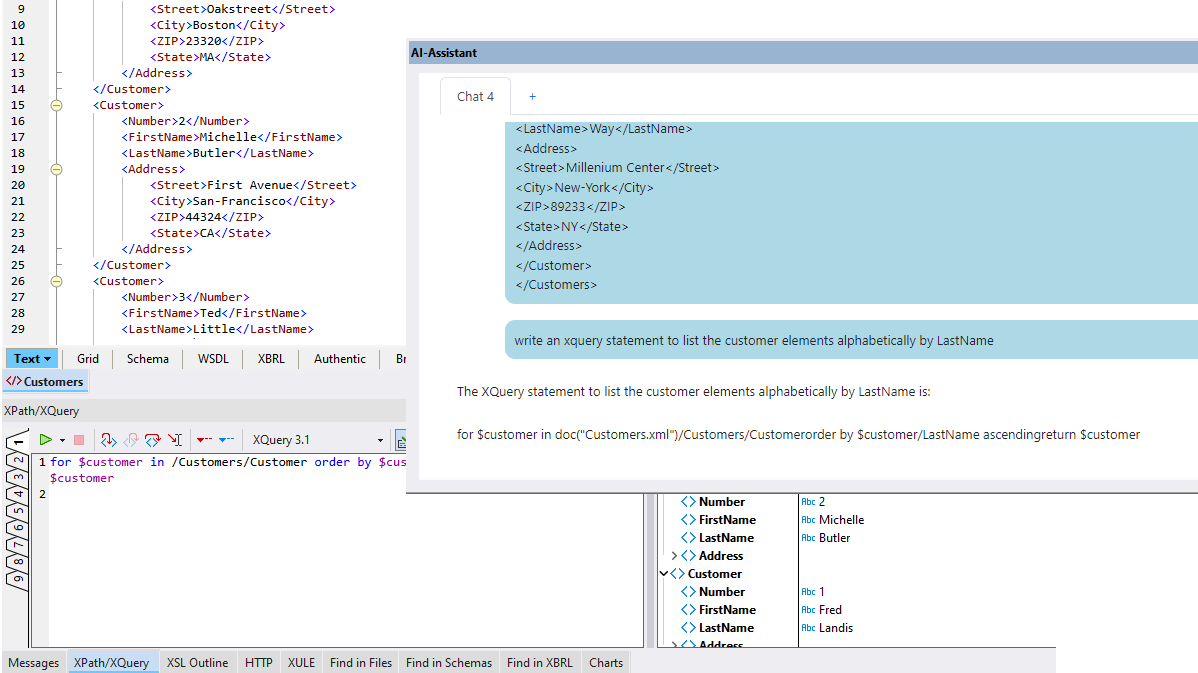
The code corresponding to your prompt is auto-generated by Altova AI. Using the AI Assistant toolbar, you can copy the response to the clipboard, create a new document that includes the response, or open it in the XMLSpy XPath/XQuery window.
AI for XML Editing
The AI Assistant supports natural language prompts to generate XML or JSON schemas, sample instances, XSL or XQuery code, and more.
The XMLSpy AI Assistant is great for generating XSDs, sample XML instance documents, and even sample XML data based on your natural language prompts. You can even use the AI functionality to request XSL, XPath, and XQuery code.
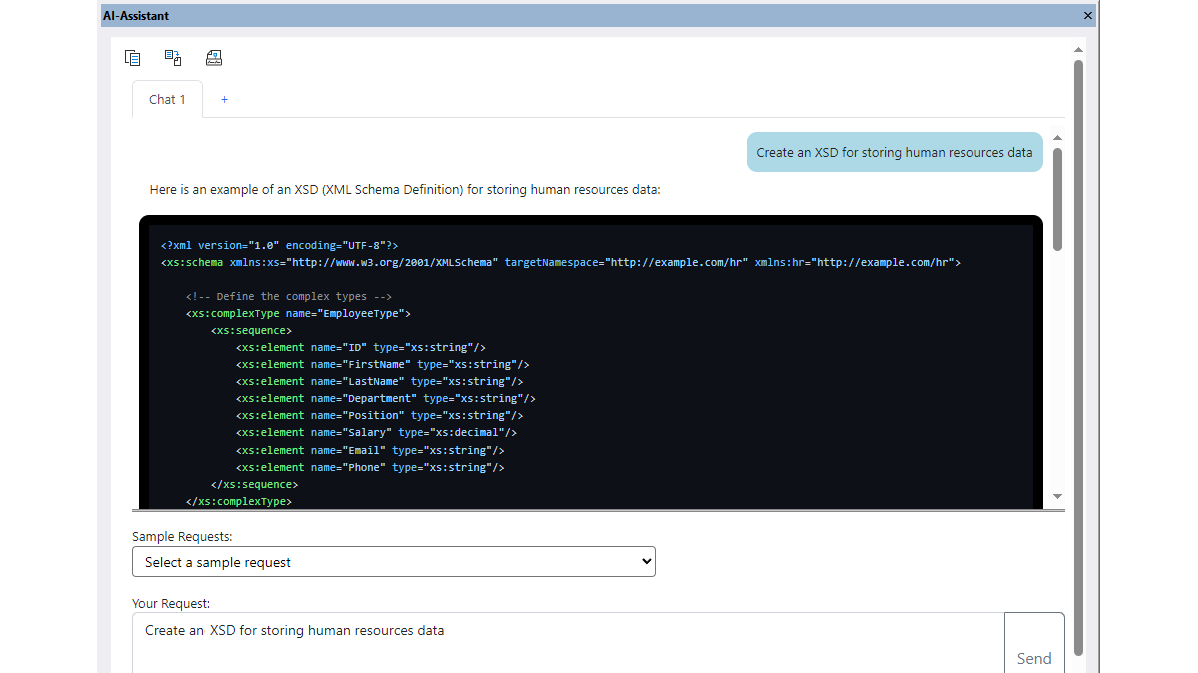
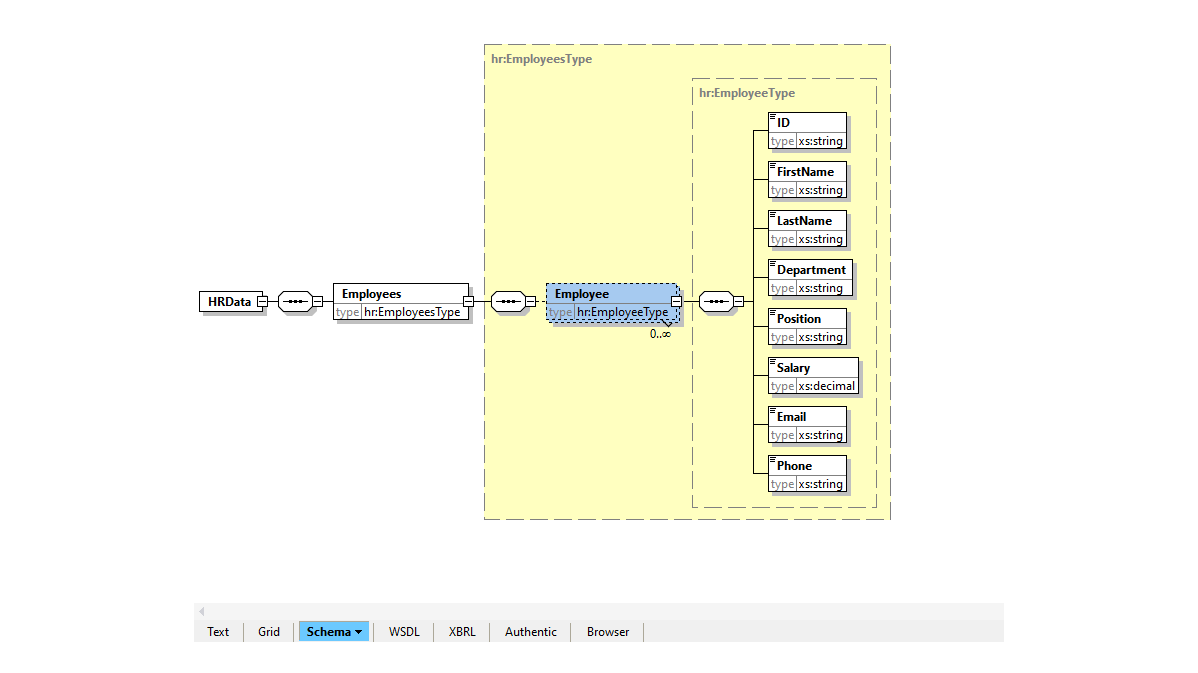
Here is a sample prompt asking Altova AI to generate an XML Schema for storing HR data and the corresponding response in the AI Assistant.
Using the toolbar, we can create a new document with the response and then view the autogenerated code in the graphical XML Schema Editor to review and refine the XSD.
In just seconds, we’ve created an XSD that’s a great starting point for further development.
The XMLSpy AI Assistant can also be used to generate XPath and XQuery code, which you can then review and refine as necessary. This saves time and is also helpful for learning the syntax of these XML query and transformation languages.
JSON AI Tools
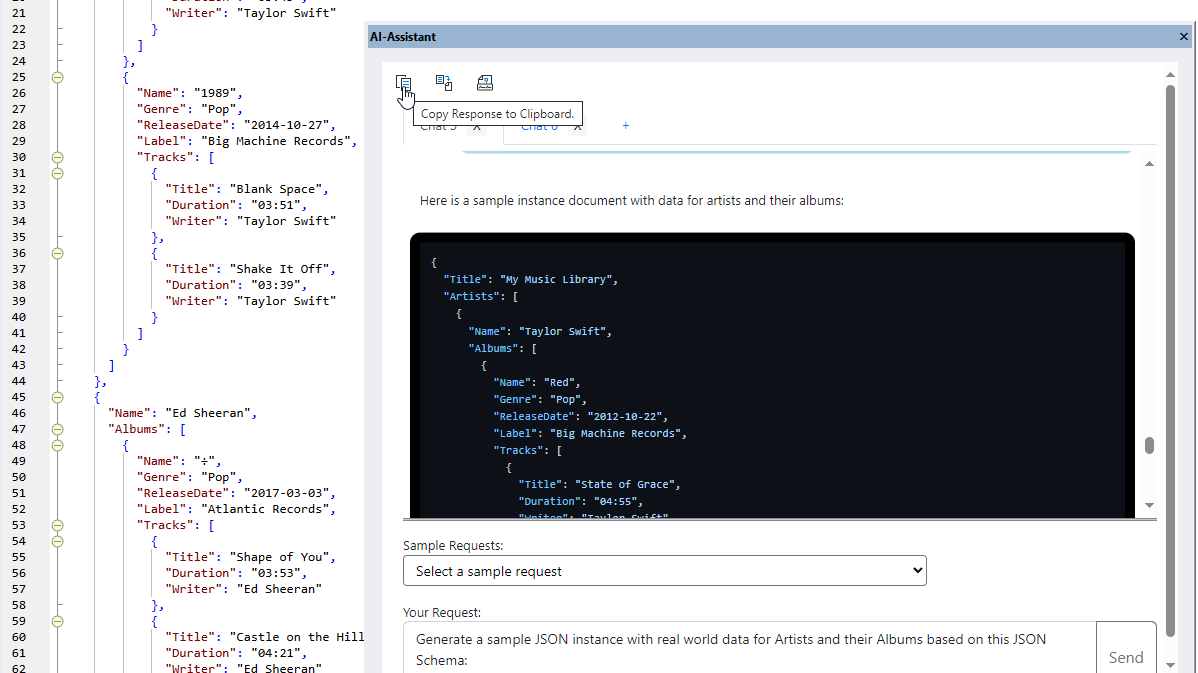
The AI Assistant in XMLSpy offers the same functionality for JSON, enhancing productivity and giving software engineers a jump-start for JSON development. Using natural language prompts, you can ask Altova AI to generate JSON Schemas, JSON instances, sample data, and so on.
Altova AI is available via a subscription that customers purchase in addition to their product license. A Support and Maintenance Package (SMP) is required for purchasing Altova AI. Customers may purchase an Altova AI subscription at the same time as a new SMP or add it to an existing SMP subscription. Visit the Altova Online Shop to review all your options and start your Altova AI subscription.