The MapForce data mapping tool is a visual EDI translator that lets you convert EDI to other prevalent data formats, as well as to other EDI formats. Common EDI translation includes:
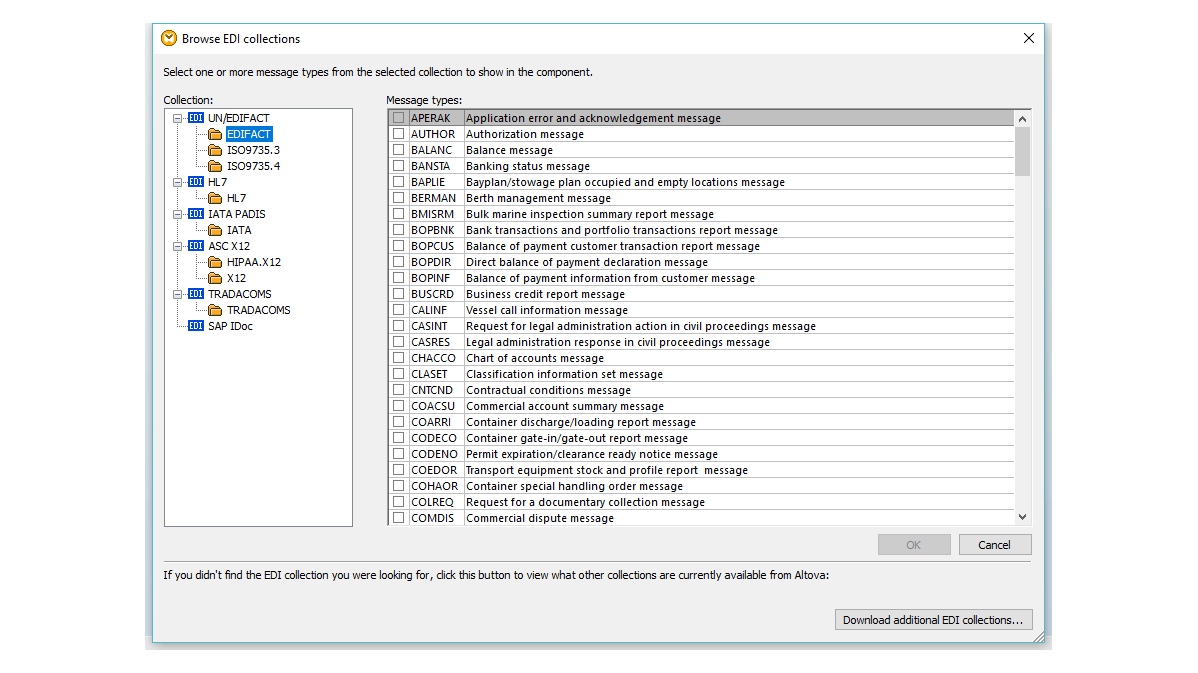
Full support for a wide range of EDI formats in MapForce allows you to use any of the hundreds of messages and transaction sets covered by these standards in your mapping design. You can even map from EDI to EDI, to, for example, convert EDIFACT files to an X12 format for your global business partners. You can also take advantage of MapForce's XML support to update your legacy HL7 v2.x messages to version 3, a common requirement when converting healthcare EDI messages.
MapForce supports EDI mapping for:
Because users often need to customize EDI messages according to specific implementation requirements, MapForce includes a user-friendly EDI configuration file format that allows you to add new transactions or modify and enhance existing messages quickly and easily.
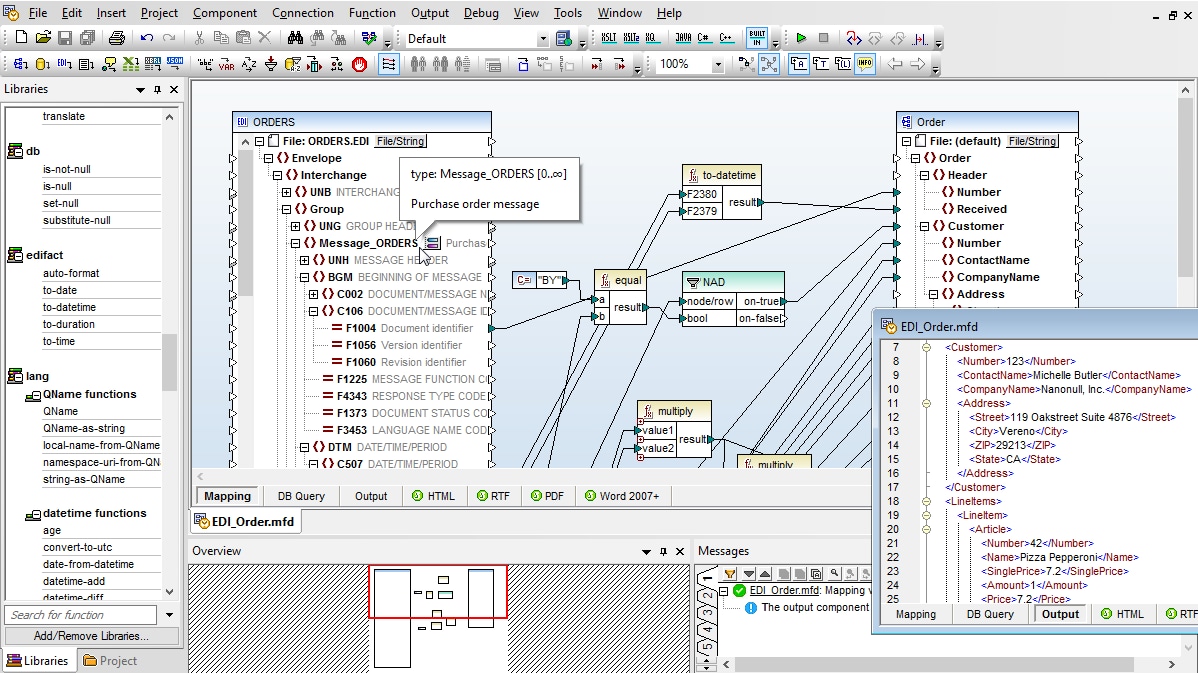
Once you've specified the data sources for your EDI data mapping, MapForce inserts them in your project as graphical components. Drag and drop to map data fields, insert data processing functions, and even build your own with the visual function builder to transform data as required.
MapForce supports any-to-many data mapping as well as chained mappings.
MapForce ships with built-in support for the most recent EDI configuration files, and you can download and utilize previous message formats for previous years for free. The links below provide information about the various versions of each supported EDI format.
Of all the formats an integration developer handles, EDI is the one most likely to stall at the mapping stage. The standards are decades old, the identifiers are deliberately compact, and the structure is deeply nested. Before you can connect a single EDI field to a target column you have to know what that field represents — which means cross-referencing the message specification.
That decoding step is the part that has always resisted automation, because it depends on someone who already knows the format. Conventional name-based matching cannot help: there is no meaningful name to match on.
Altova AI in MapForce generates the field connections and suggests the transformation functions that belong between them. In EDI work that is most of the value — the connection from a source element to a target column is rarely the whole job, because codes need looking up, dates need reformatting, and values need combining or splitting. Those suggestions arrive as part of the draft.
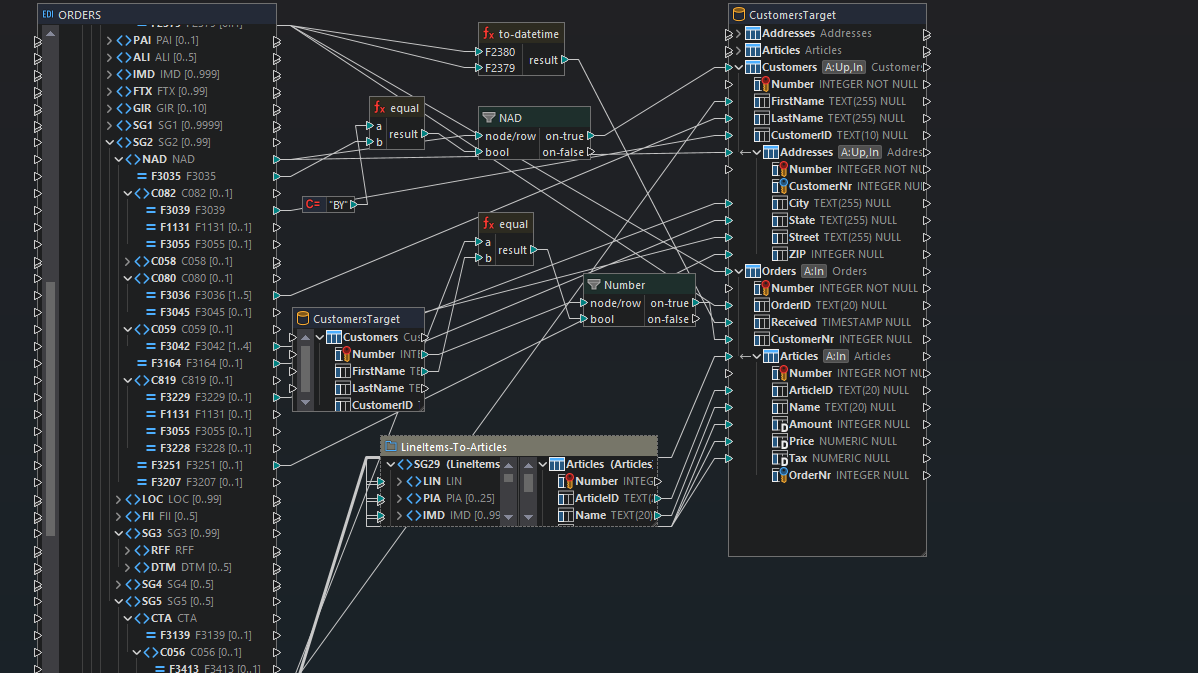
Point Altova AI at a source and target — one table at a time keeps the suggestions focused — and it proposes a set of connections, shown in green. Hover over a suggestion to accept or decline it individually, or apply everything at once.
When a pass leaves fields open, click the node you care about and it generates fresh suggestions for that node alone. Each request narrows what is left, which is why working incrementally beats turning it loose on an entire schema.
Line-item detail is usually the most painful part of an EDI mapping, because it sits deep inside a nested segment group — SG29 in an EDIFACT order, the corresponding loops in an X12 transaction — often under identifiers that give nothing away. Altova AI locates the correct elements inside the group without you walking the hierarchy by hand.
Output is returned in the normal MapForce graphical environment as an executable project — ready to run, edit like any other mapping, or compile for MapForce Server and automate. There is no separate AI artifact to maintain and nothing opaque in the result.
Availability
Altova AI is a subscription purchased in addition to your product license, and requires a Support and Maintenance Package. It can be bought alongside a new SMP or added to an existing one.
Rich coverage for the most popular EDI message formats coupled with support for all major relational and NoSQL databases makes MapForce particularly well suited for creating EDI ETL pipelines.
The graphical MapForce interface makes it easy to visualize the structure of EDI messages, breaking them down into segments, elements, and subelements. Then, its built-in library of data processing functions and visual function builder can be used to define processing rules to extract message data and transform it before mapping and loading it to the target system or database.
Then, MapForce makes it easy to configure connections to target databases, generate SQL scripts to insert transformed data, and set actions like insert, update, or delete to control how data is written, all with comprehensive options for error handling and logging.
With robust validation and error handling, MapForce ensures accurate and compliant data transformation, making it an efficient tool for managing EDI ETL workflows. For automating ETL, MapForce Server provides unmatched scalability and affordability.
Once your EDI translation is complete, MapForce will convert the data so you can view and save results instantly. More often, it's practical to automate EDI mapping and ETL workflows, and MapForce offers scalable, high-performance automation via MapForce Server.
“It's not often one encounters a solid software company in the EDI space but Altova with [their] support has truly impressed us.”