Fillable PDF Forms
Fillable PDF forms are editable forms within a PDF document. In this way, a user can add data to a PDF document. The data can be saved with the PDF document but also extracted in FDF and XML formats. In StyleVision, you can create a design for a PDF output document that contains PDF form controls for accepting data input and carrying out user actions. In the PDF document shown below, for example, data can be entered in form fields in one of the following ways: by typing in the data, selecting a radio button, or checking a check box. Additional PDF form functionality is provided through button controls (see screenshot below): different types of buttons perform different actions.
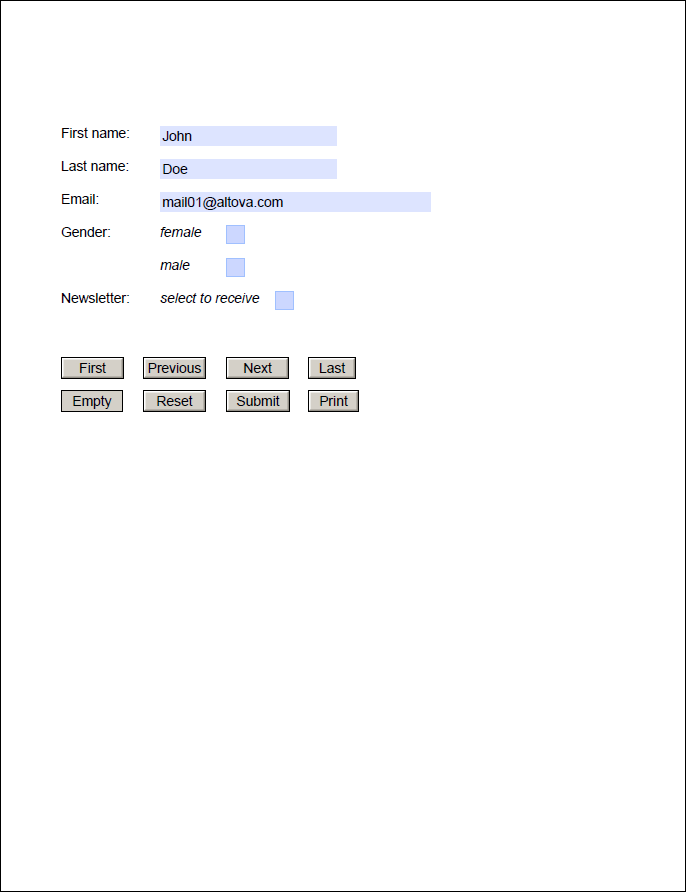
This section is organized as follows:
•Creating a Fillable PDF Form describes the parts of a PDF form and how one is created
•Form Controls describes the available form controls (for both data input and carrying out specific user actions)
•Form Data describes the mechanisms that an SPS makes available for submitting and extracting form data from a user-edited PDF document
Altova website:  Fillable PDF forms