Connection Settings
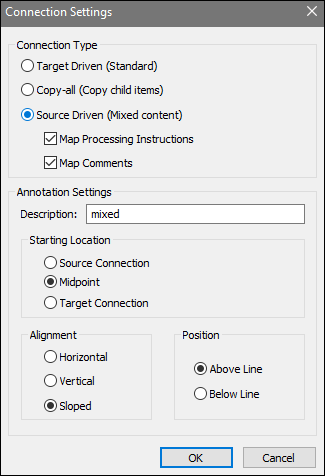
The Connection Settings dialog allows you to change the type of an existing connection and configure its display properties (screenshot below). To open this dialog, do one of the following:
•Double-click the connection.
•Right-click the connection and select Properties from the context menu.
The settings are divided into two groups: Connection types and annotation settings. For more information, see the subsections below.
Connection types
You can choose one of the connection types described below:
•Target-driven (Standard) connections: Suitable for most mapping scenarios.
•Copy-all (Copy child items) connections: If source and target components have identical or similar child structures, MapForce can create a copy-all connection instead of multiple child connections.
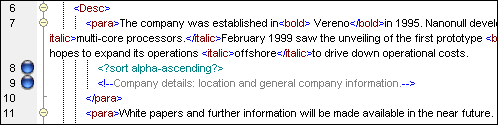
•Source-driven (Mixed content) connections: Maps mixed content (text and child nodes) while preserving the order from the XML source file. If you select Map Processing Instructions and/or Map Comments, you will be able to include these items in the output file (see screenshot below).
Annotation settings
This section enables you to label a connection. Follow the steps below:
1.Enter the name of the selected connection in the Description field. This enables the options in the Annotation Settings section.
| 2. | Use the remaining groups to define the Starting Location, Alignment, and Position settings of the label. |
| 3. | Press the  toolbar button (Show Annotations). |
The screenshot below shows an annotated connection.

Note: If the Show Annotations toolbar button is inactive, you can still see the annotation if you hover over the connection. The annotation will appear as a tooltip if the  toolbar button (Show Tips) is active.