New Altova AI: Smart Assistance for XMLSpy, MapForce, and DatabaseSpy
Altova Software Version 2026 Release 2 is now available with significant new functionality, including the introduction of the Altova AI Server. Available as an optional subscription that plugs directly into Altova MissionKit products, Altova AI brings smart, context-aware assistance into MapForce, XMLSpy, and DatabaseSpy — right inside the tools you're already using.

MapForce: AI-generated data transformation and ETL
Altova AI integration in MapForce makes building data mappings faster and easier, automating the most time-consuming part of any data integration or ETL project.
Simply specify your source and target structures, and Altova AI analyzes the actual data structure, generates the field connections, suggests transformation functions, and produces a project with defined data flows and processing steps, all in the standard MapForce graphical environment.
In the screenshot below, Altova AI has mapped data fields and suggested the data processing functions shown in green to create a working data integration project – in minutes and with no manual work required.
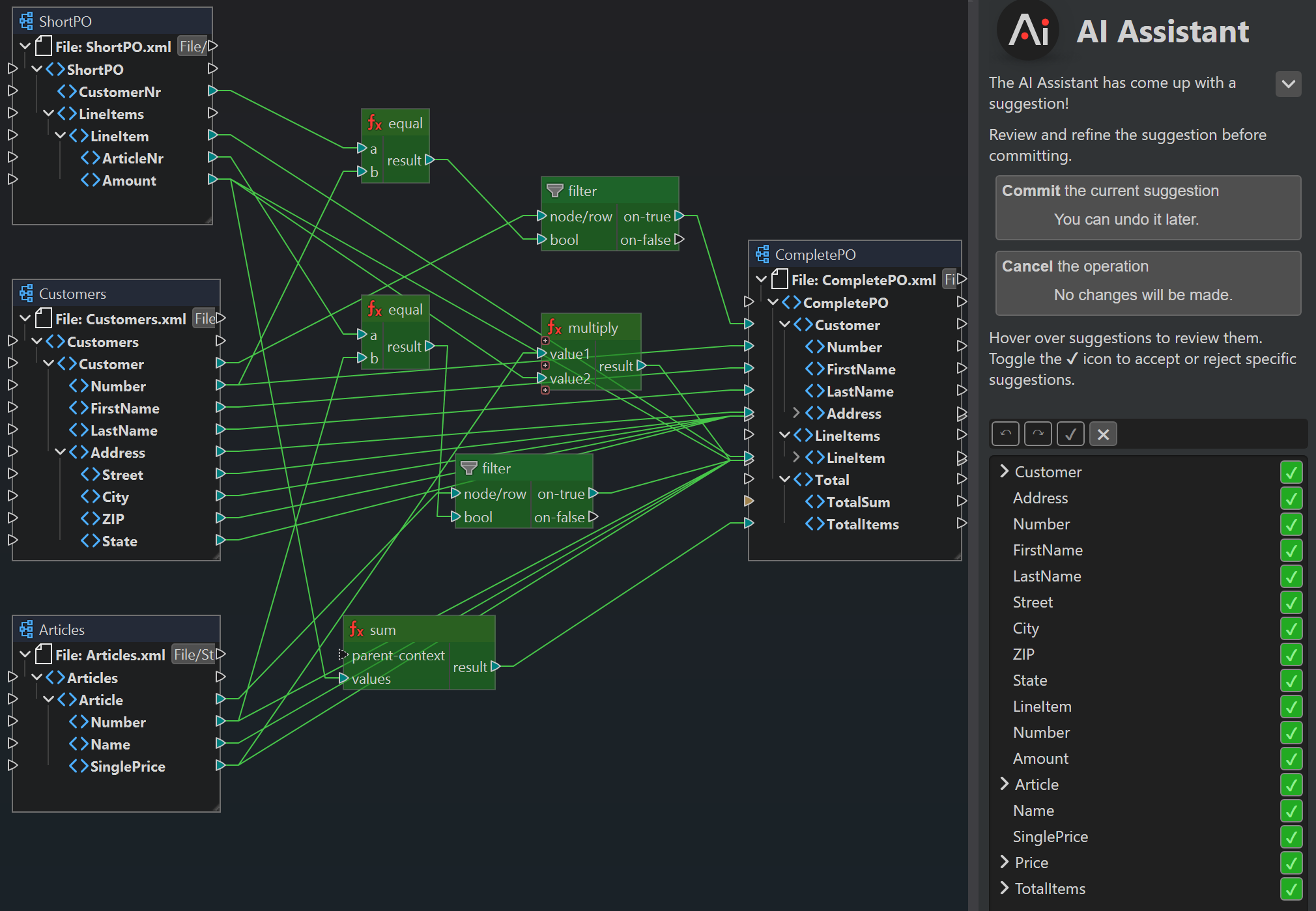
The process is fully interactive: review each suggested connection and accept or decline it individually, or apply everything at once. Altova AI can suggest an entire mapping, or you can focus it on particular connections one at a time.
Here’s how it works:
Because Altova AI maps by meaning rather than by label alone, it handles cases that defeat traditional tools — cryptic EDI codes, abbreviated field names, schemas written in different human languages — and recognizes semantic matches even when the labels don't visibly line up.
The output is a standard, fully editable MapForce project.
With Altova AI handling the mechanical work of building data mappings, you can focus on the logic that actually matters to your business.
XMLSpy: realistic sample data, automatic transformations, and an in-editor assistant
Altova AI brings context-aware assistance directly into the XMLSpy editing environment, with full awareness of the documents you're working on.
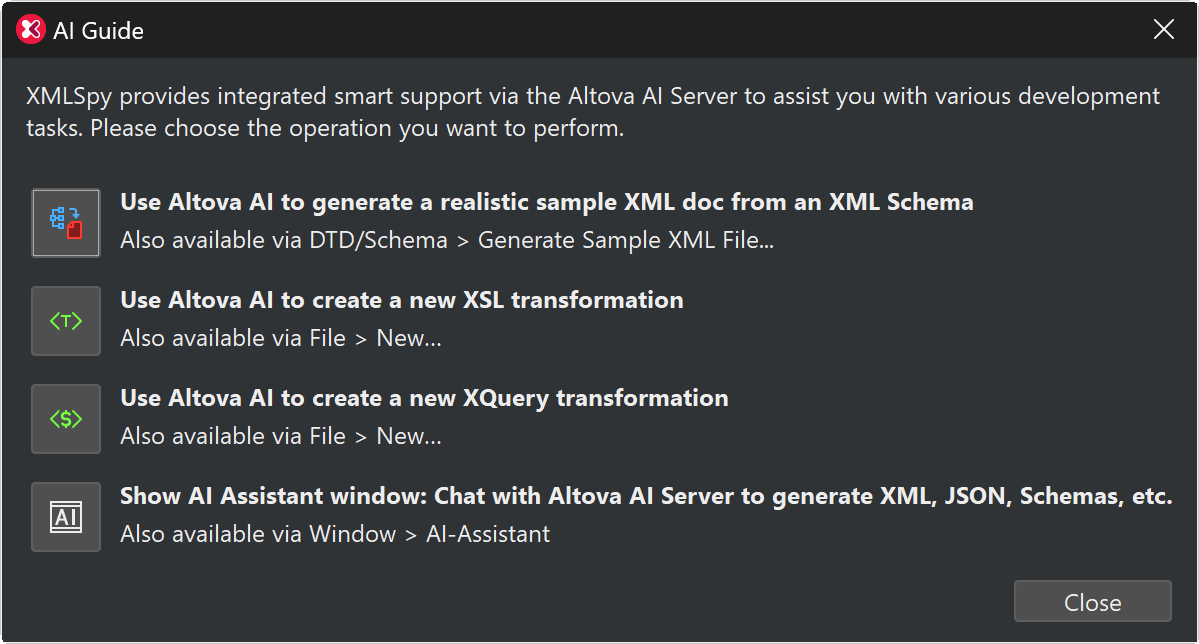
You can ask Altova AI in XMLSpy to generate realistic, semantically meaningful sample XML from any XML Schema. It doesn't just produce random valid data — it interprets the meaning of the schema elements and produces plausible values (realistic names, dates, addresses, etc.) rather than the placeholder values typical of manual test data.
It also creates XSLT and XQuery transformations automatically: provide a source and target document, and Altova AI generates the code that maps one to the other, ready to refine in XMLSpy's existing editing, debugging, and optimization tools as needed.
A built-in AI Assistant chat window rounds out the experience. Aware of whatever file you have open, it can generate XML, JSON, schemas, and other content based on your current working context — no copy-pasting between tools, no losing your place.
Here’s how it works:
DatabaseSpy: an AI Assistant for the SQL Editor
DBAs and database developers have a lot to gain from AI-assisted workflows, and Altova AI in DatabaseSpy builds smart support directly in the SQL editing environment. The integration includes an AI Chat Dialog for sending requests to the Altova AI Server to generate sample SQL statements, create sample data for a given table structure, infer relations between tables that have no defined keys, and so on.
Inside the SQL Editor itself, three AI Extensions handle the smaller everyday tasks: AI-Complete finishes a SQL statement you've started, AI-Explain returns a plain-language explanation of a statement or an error, and AI-Pretty Print reformats the current statement into something readable. DatabaseSpy already supports every major database in a single UI; adding Altova AI on top makes it a real productivity lift for novice and experienced users alike.
How the Altova AI Subscription Works
Altova AI runs on the Altova-hosted AI Server, to which the Altova software connects on-demand. You add an Altova AI subscription to your existing Support & Maintenance Package (SMP), or purchase it alongside a new SMP, and choose from three tiers based on monthly usage. Subscriptions are billed annually, and your monthly AI usage allotment refreshes automatically on the first of each month. The AI subscription and SMP share the same renewal date, so there's only one date to keep track of.
MissionKit customers get built in flexibility. An Altova AI subscription for the MissionKit combines the usage limits of every included product into one shared pool. That means you can spend your Altova AI allotment flexibly across XMLSpy, MapForce, and DatabaseSpy without juggling separate plans.
Learn more about Altova AI or visit the Altova Online Shop to start an AI subscription now.