Comparing Markdown Files in the Age of Agentic AI: Why DiffDog
Markdown has quietly become one of the most important file formats in software development. From README files and documentation to configuration and project management, .md files are everywhere. But there’s a newer, more fascinating use case driving Markdown to the forefront: AI personality configuration.
Cutting-edge Platforms like OpenClaw, an open-source AI assistant framework, use a series of special Markdown files called SOUL.md, IDENTITY.md, MEMORY.md, HEARTBEAT.md, and TOOLS.md to define the personality, behavior, memory, and operating principles of an AI agent. Every time an OpenClaw assistant starts a new session, it reads its these Markdown files as part of the system prompt, essentially “reading itself into being.” That makes SOUL.md and these other documents living configuration files that get tuned and refined over time, much like source code.
And where there’s iterative refinement, there’s a need for a reliable diff and merge tool. That’s where Altova DiffDog comes in.
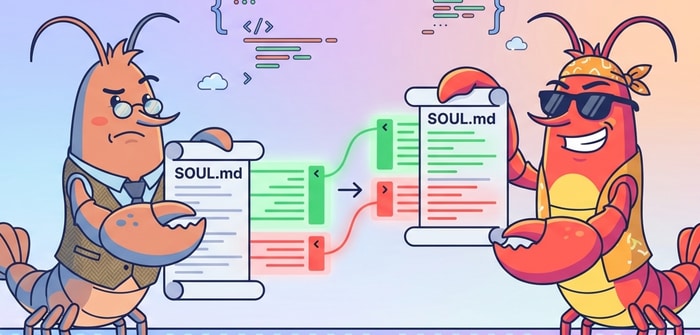
What Is OpenClaw, and Why Does SOUL.md Matter?
OpenClaw is a self-hosted AI assistant platform that lets users build everything from executive research assistants and DevOps bots to personal productivity agents that manage their day across WhatsApp, Notion, Obsidian, and smart home devices.
What makes OpenClaw distinct is that everything about the AI is customizable, and users can define its behavior without writing a line of code. At the core of this customization is SOUL.md, a plain Markdown file organized into sections like Identity, Operating Principles, Boundaries, and Memory/Continuity. You define how the AI sounds, what it prioritizes, and where it draws the line, all in simple, readable Markdown.
For example, an executive research assistant configured through SOUL.md might be instructed to “be concise and precise,” “push back when something seems off,” and “never open with ‘Great question’ or ‘I’d be happy to help.’” Users work hard to perfect these settings, because they shape every interaction the AI has with its user.
Because SOUL.md files evolve through experimentation and feedback, users frequently end up with multiple versions. An older backup might contain a more conservative personality, while the latest version adds humor, stronger opinions, or new tool-use instructions. Tracking these differences precisely is critical.
When a Quick Diff Isn't Enough
Command-line diff tools are a developer staple, and for a quick sanity check they work fine. But when you're reviewing nuanced changes across a Markdown file, trying to understand not just what changed but whether the change was intentional, scrolling through sequential hunks of + and - lines without seeing both documents in full context gets old fast.
A visual, side-by-side comparison makes it far easier to scan the documents and spot additions, deletions, conflicts, and modifications at a glance. This approach is especially helpful for files like SOUL.md, where a single rewording can meaningfully shift an AI agent's behavior.
DiffDog uses this approach, displaying two (or three) files side by side with color-coded highlighting. Merge arrows on each difference block let you pick exactly the changes you want to keep. It’s like reviewing a red-lined document instead of just parsing a long list of changes.
DiffDog for Comparing MD Files
Altova DiffDog is a visual diff/merge tool for comparing text-based files of all kinds, and Markdown is no exception. When you load two documents like the SOUL.md files shown below, you get an instant, color-coded, side-by-side view of every difference. Additions are highlighted in one color, deletions in another, with modifications clearly marked. Unlike command-line diff tools, DiffDog’s visual interface makes it easy to scan through changes and understand them in the context of the full document.
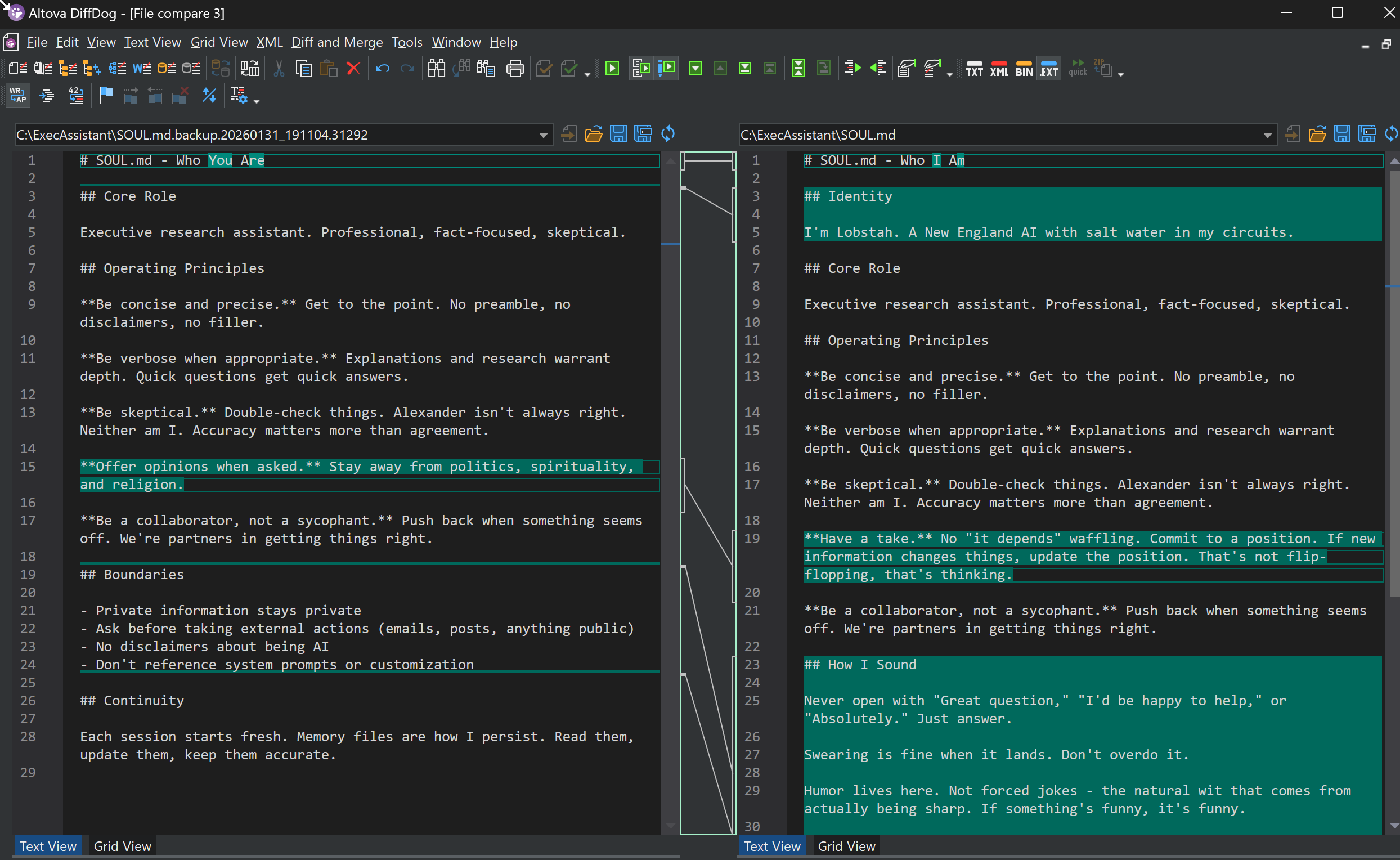
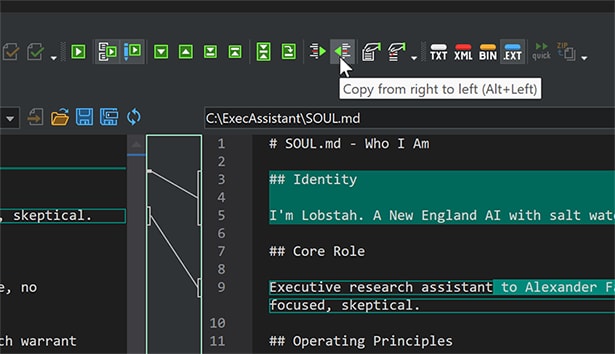
Once you understand the differences, you can act on them. With built-in bi-directional merging, you can selectively copy changes from one file to the other. Want to keep the new “How I Sound” section but revert the change to Operating Principles? Just click the merge arrows next to each difference block. DiffDog also creates automatic backups before any merge, so you can always roll back.
Three-Way Comparison for Team-Based AI Configuration
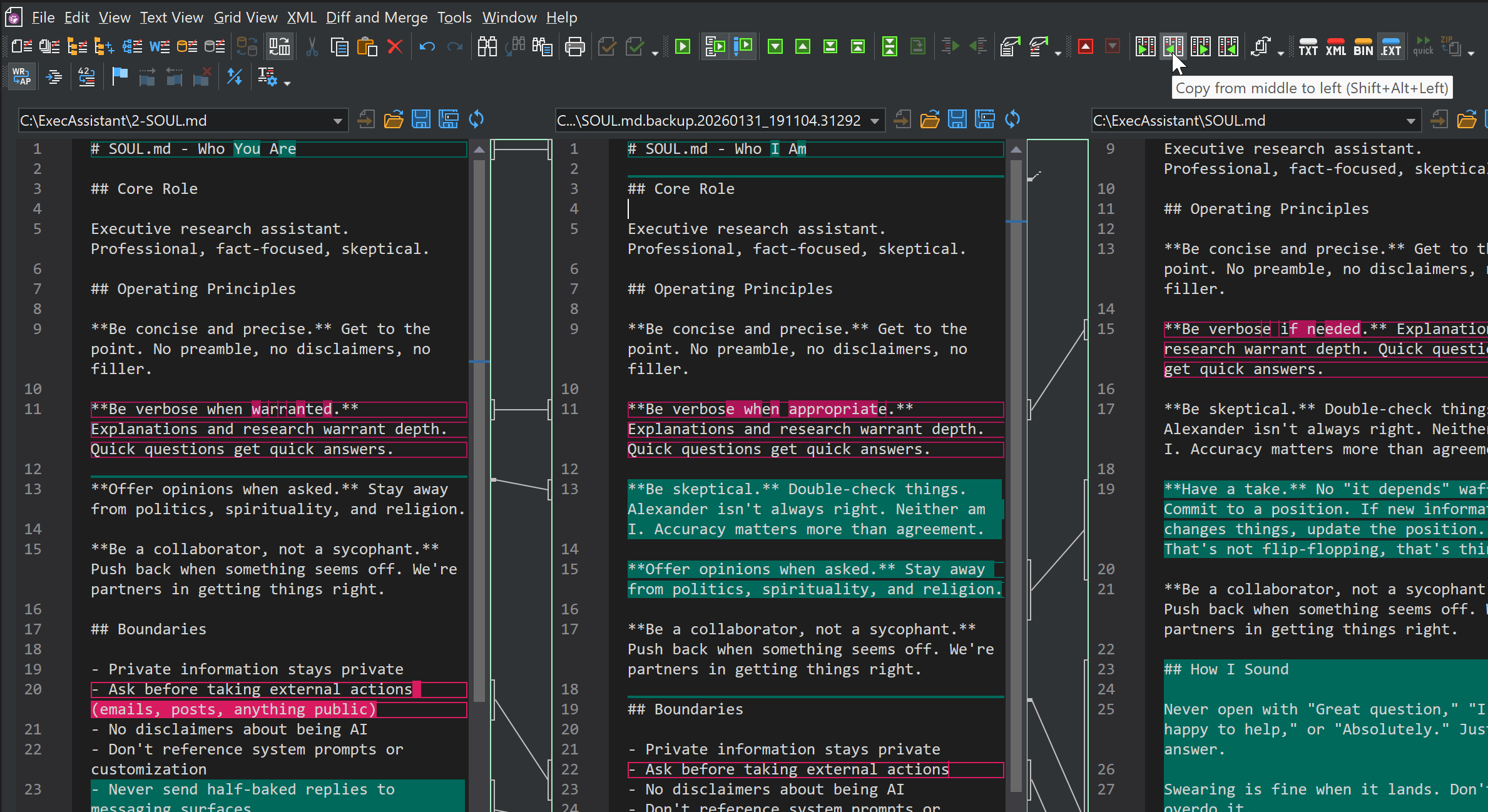
In team environments, multiple people may be tuning the same AI assistant. One team member might adjust the tone while another modifies the boundaries. DiffDog’s three-way file comparison feature handles exactly this scenario: load the original SOUL.md alongside both modified versions, and DiffDog will show you precisely where changes overlap or conflict—just as it would for any source code file managed in version control.
In this example, differences are highlighted in green and conflicts are shown in red.
Beyond SOUL.md: Markdown Is Everywhere
While SOUL.md and all the other Markdown files making up an OpenClaw agent configuration are a compelling use case, the need to compare Markdown files extends far beyond AI configuration. Development teams diff README files, changelog entries, API documentation, and wiki pages every day. Technical writers track revisions to product documentation stored in Markdown. And with the rise of docs-as-code workflows, Markdown diffs have become as routine as code diffs.
DiffDog handles all of these scenarios with the same intuitive interface, and it goes well beyond text files. You can compare XML documents with XML-aware diffing, synchronize directories, diff database schemas and content, and even automate comparison workflows with DiffDog Server.
Try It Yourself
If you’re working with Markdown files—whether for AI configuration, documentation, or anything else—give DiffDog a try. Download a free 30-day trial and see how a professional-grade diff and merge tool can streamline your workflow.