Automatically Convert EDI to XML
Electronic Data Interchange (EDI) remains a foundational technology for B2B data exchange, even as modern integration architectures continue to evolve. For decades, EDI standards such as X12 and EDIFACT have enabled reliable, structured communication between trading partners across industries including retail, healthcare, logistics, and finance. Their longevity is a testament to their stability, scalability, and widespread adoption — especially in high-volume, mission-critical transactions.
At the same time, today’s enterprise systems increasingly rely on XML, JSON, databases, APIs, and cloud-based services. While EDI is great for standardized data exchange, its compact, positional formats are not designed for human readability or direct consumption by modern applications. As a result, EDI data must be translated and transformed to integrate smoothly with contemporary business systems and workflows.
Altova MapForce addresses this challenge with a powerful, graphical approach to transforming EDI data to other prevalent data formats. It even includes automatic EDI to XML conversion. Let's see how it works.

EDI Data Integration
MapForce makes EDI mapping straightforward with a visual design that lets users clearly see how EDI transaction sets connect to XML, JSON, databases, Shopify, or other formats. Built-in EDI validation and code lists help keep mappings accurate and standards-compliant, without adding extra manual work.
MapForce supports the most prevalent EDI standards, including:
- UN / EDIFACT
- ANSI X12
- HL7 (Health Level 7)
- HIPAA X12
- SAP iDOC
- IATA PADIS
- TRADACOMS
- SWIFT
- ODETTE
- VDA
- FORTRAS
You simply specify the required EDI collection and message type to get started.
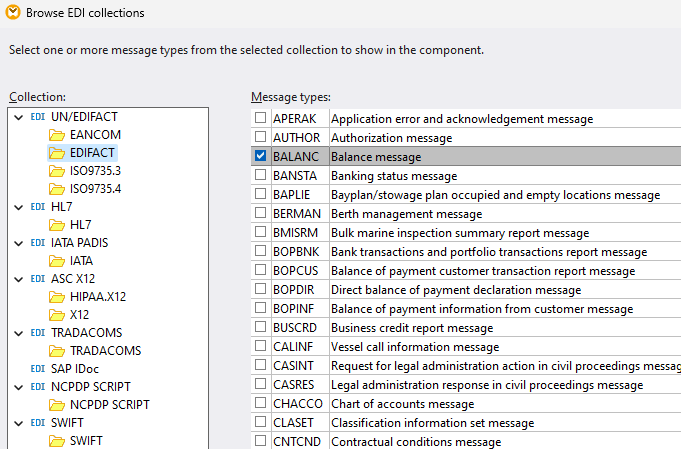
In many cases, a straight EDI to XML conversion is all that is required to adapt data for modern systems. MapForce can do that transformation automatically.
EDI to XML
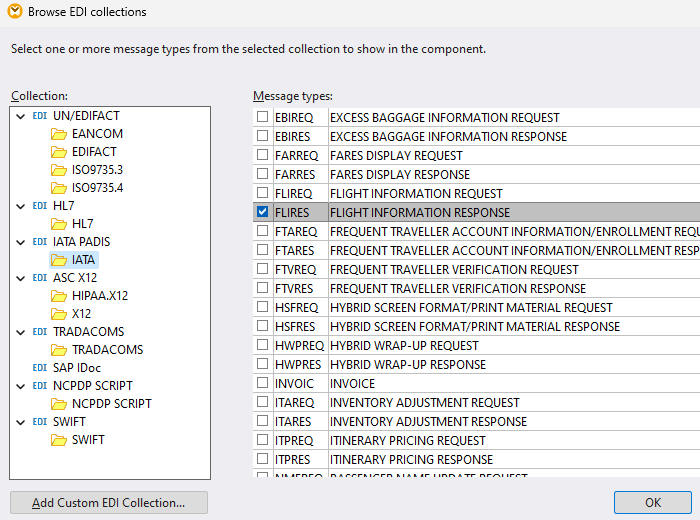
To automatically convert EDI to XML in MapForce, start by dropping any EDI collection into a new mapping. For our example, we'll convert the sample IATA EDI source file included with the MapForce examples to XML. So we'll select the Flight Information Response message from the IATA collection to get started.
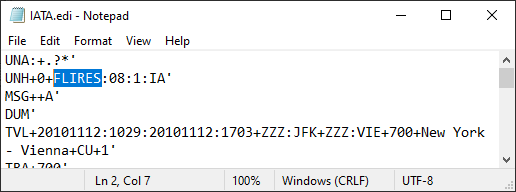
If you have a source EDI document for mapping but don’t know in advance exactly which message to choose, you can simply open the file in any text editor and see the message type near the top of the file. Here’s a view of our source:
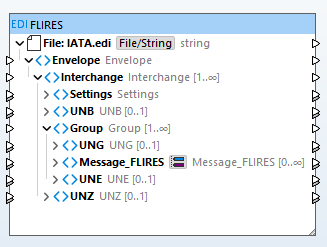
We assign the IATA.edi file as our source document and the EDI message appears in the main mapping pane in a graphical component that reflects its structure:
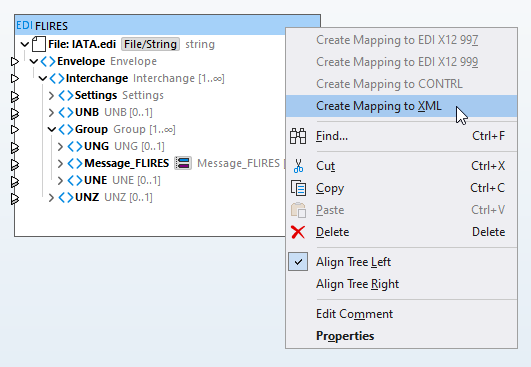
Now we can right-click the header and choose Create Mapping to XML from the context menu:
MapForce automatically creates an XML data structure corresponding to our EDI message, inserts it in the project, and maps the matching fields.
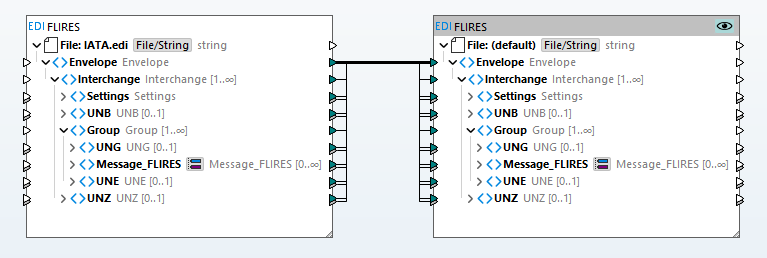
That’s it! Creating a quick EDI to XML mapping takes just a few clicks. To execute the mapping we simply click the Output button at the bottom of the mapping pane, which opens the Output preview window:
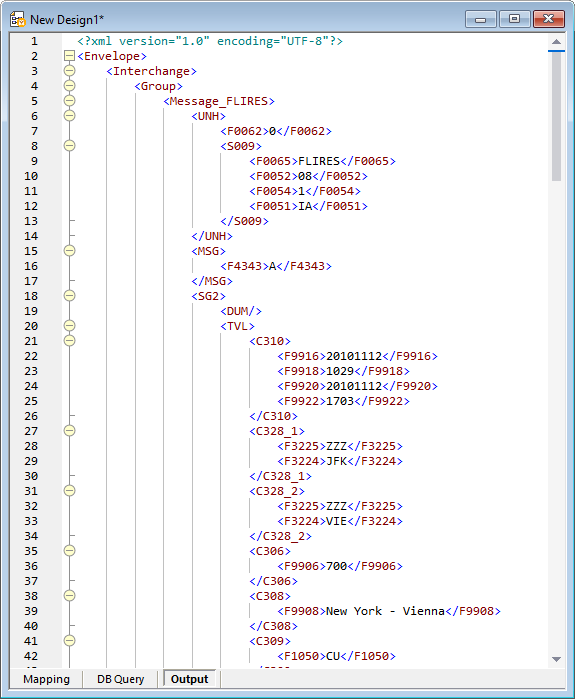
The output is an XML document where each EDI message segment is encoded inside XML elements that match the EDI segment names.
We can now save the XML or use it as a starting point for defining an EDI integration or ETL workflow. You can save the mapping as a MapForce Server Execution file or upload it to a FlowForce Server for automated processing. You can enhance the mapping to create a chained mapping for further transformation. The XML output can be processed in a separate mapping, or an XSL transformation can be applied.
MapForce supports the most recent versions EDI collections by default. If you need to work with EDI messages based on earlier standards, MapForce provides a quick link to download earlier versions.
The technique illustrated above to automatically convert EDI to XML works with all EDI collections supported by MapForce.
To quickly convert EDI to XML for yourself, download a free trial including Tutorials, Help, and many more examples!
NOTE: If you’re interested in reading more about the history of EDI to learn why EDI persists while technologies like computer punch cards and floppy disk drives have faded to obscurity, check out this article that originally appeared in Computerworld magazine.