Biometric Authentication for Apps in MobileTogether 10.3
Version 10.3 of Altova MobileTogether, the cross-platform framework for building data-centric enterprise and mobile apps, is now available. This release adds biometric authentication for end users, new image editing capabilities, security enhancements for MobileTogether Server, and a host of productivity improvements for app developers working in MobileTogether Designer.
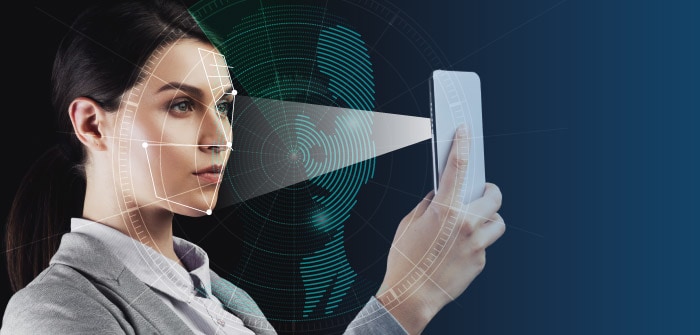
Here's a quick look at what's new:
Support for biometric authentication on clients
Ability to edit images in MobileTogether apps
Remember Me option for MobileTogether Server log in
Two-factor authentication option for MobileTogether Server log in
New
mt-last-control-eventfunctionStylesheet support for table rows
New button images
Support for PostgreSQL 18
Let's take a closer look at the major features in this release.
Support for Biometric Authentication on Clients
Developers can now enable biometric authentication via a face or fingerprint scan in the apps they build with MobileTogether. The new Biometric Authentication Action can be used to implement this functionality at any point in the app workflow (as shown in the screenshot below) – for example before viewing confidential records, approving a transaction, or submitting a form. Because authentication happens on the device using the user's physical biometric characteristics, the feature adds an extra layer of security for sensitive operations.
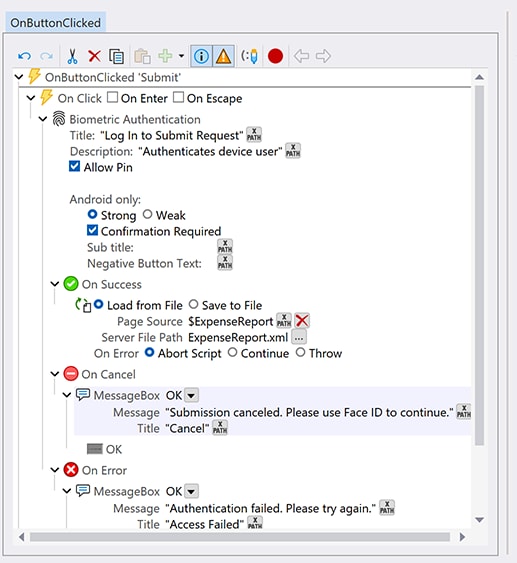
To make implementation flexible, developers can use an optional function that checks at runtime whether biometric authentication is supported on the user's device, making it easy to decide whether or not to show an authentication prompt. A PIN fallback option is also included and can be enabled as an alternative when biometric unlocking isn't configured on the device.
Biometric authentication in MobileTogether apps adds a device-level security layer that complements existing options like username/password entry and Active Directory and LDAP integration — without adding complexity for end users.
Ability to Edit Images
MobileTogether 10.3 introduces a new image editing capability that lets end users rotate, resize, and crop images directly inside MobileTogether apps, using the same familiar functionality available in other photo editing tools.
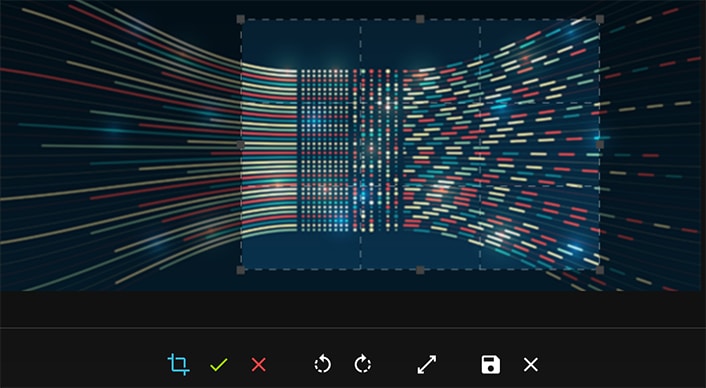
The new Edit Image Action allows developers to specify an image for the end user to edit, configure which editing actions are allowed, and define a target node where the edited image will be saved. This is a great addition for apps that involve user-submitted photos, inspection reports, document capture, or any workflow where images need to be refined before submission.
Two-Factor Authentication for MobileTogether Server
Enterprise app security gets another boost in this release with the addition of optional two-factor authentication (2FA) for MobileTogether Server logins in a web browser. Administrators can now require 2FA at the user level or the user-group level for server logins.
When 2FA is enabled, users are prompted to scan a QR code with an authenticator app of their choice the first time they log in. Subsequent logins then require the security code generated by the authenticator app, providing a significant upgrade in account security for server administrators and other users who manage app deployments.
For day-to-day convenience, this release also adds a Remember Me option for MobileTogether Server log in, allowing the web browser to remember a token linked to their login credentials so users and admins don't need to re-enter them each time they access the server interface.
More Productivity Enhancements for App Developers
Rounding out the release is a set of smaller but welcome improvements for developers working in MobileTogether Designer:
The new
mt-last-control-eventfunction returns a string indicating what control event (short or long click, left or right swipe, and so on) triggered the last action handling. It's especially helpful when working with control templates.Stylesheet support has been extended to table rows, so designers can define row styles once in the Style Sheets dialog and apply them consistently across all tables in an app.
Over 50 pre-defined button looks in the Styles & Properties entry helper have been joined by new button images for Open Task, Completed Task, Skip, and Skip Back, making it even quicker to add attractive icons for common tasks.
PostgreSQL 18 is now supported for back-end data connectivity.
Update to the Latest Version
MobileTogether 10.3 is available now. Existing customers can download the latest version to take advantage of these new features right away, and anyone new to the platform can try MobileTogether free to see how quickly you can build powerful, cross-platform, data-centric apps.