Cluster Member Info
If you have configured a cluster, you can view information about job instances executed by a cluster member in the Running Jobs section on the Home page.
Running jobs on the Home page
The Running Jobs section on the Home page includes a Worker column (see below) that shows the cluster member executing a particular job. Depending on the job configuration, this can be the master or any worker within the cluster.

Cluster member page
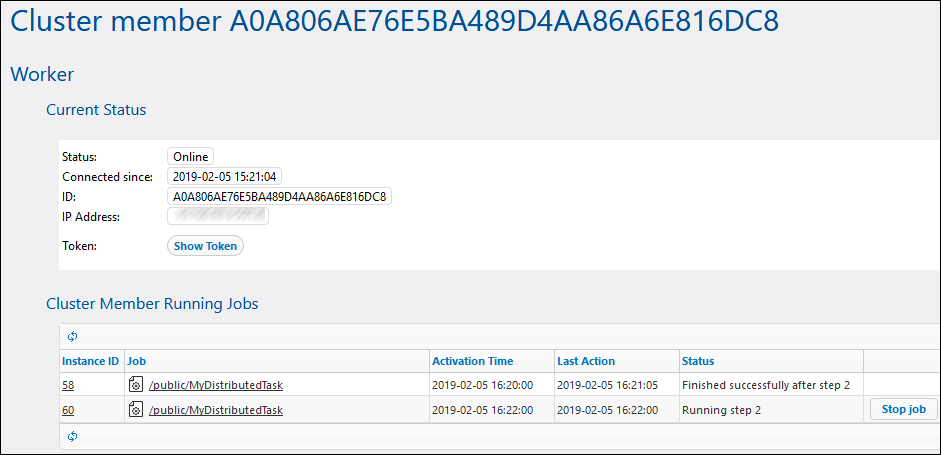
To view the currently running or recently completed job instances of a specific cluster member, click the link for that cluster member in the Worker column. This opens the Cluster Member page (see screenshot below), which allows you to monitor all job instances executed by that cluster member.