Upgrade FlowForce Server
If your server instance is outdated, click the Upgrade Instance Directory button on the Setup page (screenshot below). This will upgrade the database to the latest version. Alternatively, you can upgrade FlowForce Server via the command-line interface.
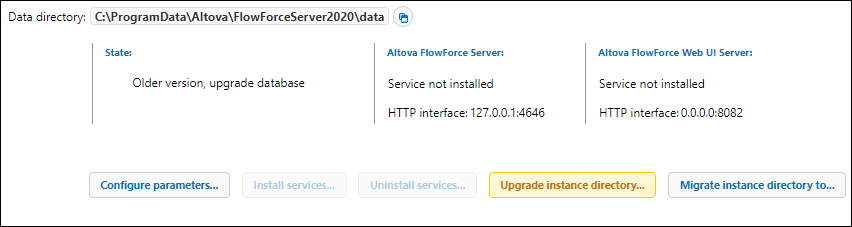
Note: Make sure your FlowForce instance is licensed and registered. For details, see Licensing on Windows and Licensing on Linux.
Important information about instance-data directory
With 2024 R2, the default path to the instance-data directory has changed and contains no year anymore. This is the new recommended naming convention because in-place upgrades are safer and faster. 2024 R2 has also introduced a new way of installing server instances: via the Setup page as opposed to the installation wizard. The new method provides more control over the location of your instance data. For more information, see Configuration via Setup Page.
Clusters (Advanced Edition)
To avoid job execution issues, we recommend running the same version on all cluster members.