Altova's New Support Ticketing System is Live
When you contact Altova Support, you want to know your message arrived, who's working on it, and what was said the last time you asked. As of September 1, 2026, all of that lives in one place.
Altova has migrated to a new ticket system for technical support, replacing the system that served our customers for many years. The new system brings a modern web interface and a portal where you can review all of your tickets, past and present. Your existing ticket history came across in the migration, so nothing was left behind.

Opening Your First Ticket
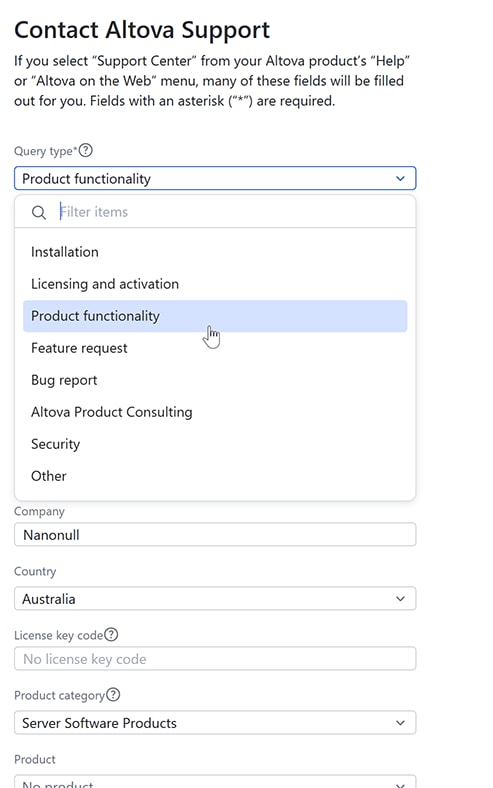
If you’re a new visitor to the Altova Support Center, start with the online form on our web site. Fill in your details and your question, attach any related files, and submit the ticket to our support engineers.
Returning Customers: Pick Up Where You Left Off
If you've worked with Altova Support before, your tickets are already waiting for you. Request a password reset for your e-mail address at support.altova.com, and you'll have access to your full history along with any new tickets you open.
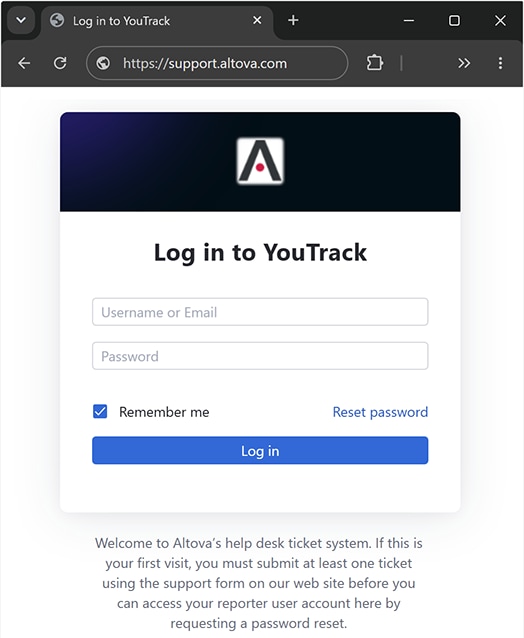
After that, you can open a ticket by logging into the portal, or continue to use the form on the Altova Support web page.
You can also keep working with Altova Support over e-mail, exactly as before. The web interface simply gives you more: secure access, a reliable record of every exchange, and a single view of where each request stands.
Getting Altova Support
The Altova Support Center is the right starting point for licensing questions, product functionality issues, and feature requests. Technical support is provided for 30 days after a software purchase as well as with an active Support & Maintenance Package (SMP), which also covers all minor and major releases during your support period.
More in-depth support assistance is covered by Altova Product Consulting, which can be requested via the same form.
Learn more about your support options or open a new ticket now.