LEI Search
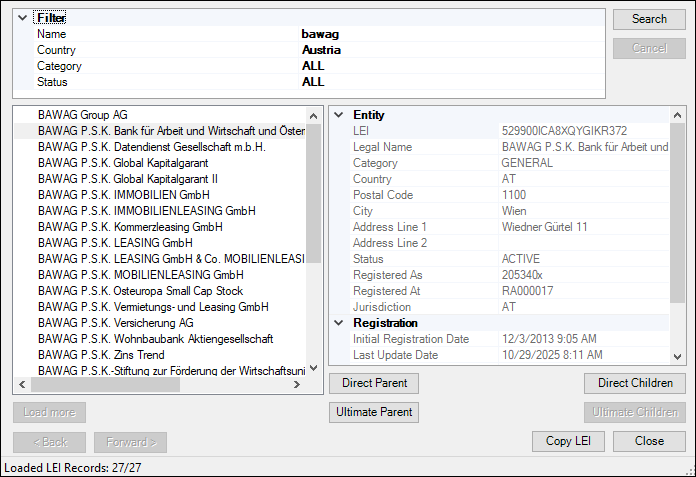
The LEI Search ribbon command opens the Search for LEI dialog (screenshot below), which provides the following functionality:
•Searching for an entity’s Legal Entity Identifier (LEI) using the name, country, category, and status
•Viewing the entity's ownership hierarchy (direct and ultimate parents/children), if available
•Copying the LEI into your report
•Switching between the search results
Export history
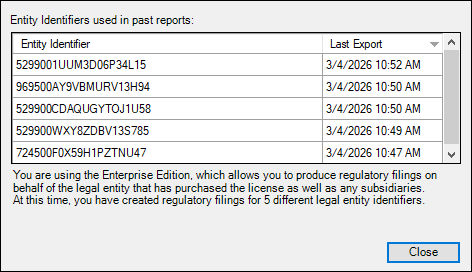
To view previously used Legal Entity Identifiers, click Export History on the add-in ribbon. This opens the Export History dialog (see screenshot below).