Smart XML Development with Altova AI
Anyone who works with XML knows where the hours go. You hand-code an XSLT stylesheet to map one document structure onto another. You stub out a sample instance to test a schema, only to fill it with "Test1" and "555-555-1212" that hide as many bugs as they reveal. You look up the exact XPath syntax for the third time this week.
The latest release of XMLSpy takes aim at exactly this kind of work. Through an integration with the Altova AI Server—an Altova-hosted service available as an optional add-on—the XML editor now offers context-aware AI assistance for the most time-consuming XML development tasks. Because the AI can read the schema and document you already have open, its output is grounded in your actual work rather than a generic guess. No copy-pasting between tools, no answers that almost fit.
Two examples show the difference better than any feature list. Both are things developers do constantly, and both used to eat real time.

Example 1: Realistic test data, generated from your schema
Suppose you have an XML Schema for purchase orders and need sample instances to test an import routine. The classic approach is to type out a document by hand, or auto-generate one and watch every field come back as a meaningless placeholder. Neither tells you much about how your code handles real input.
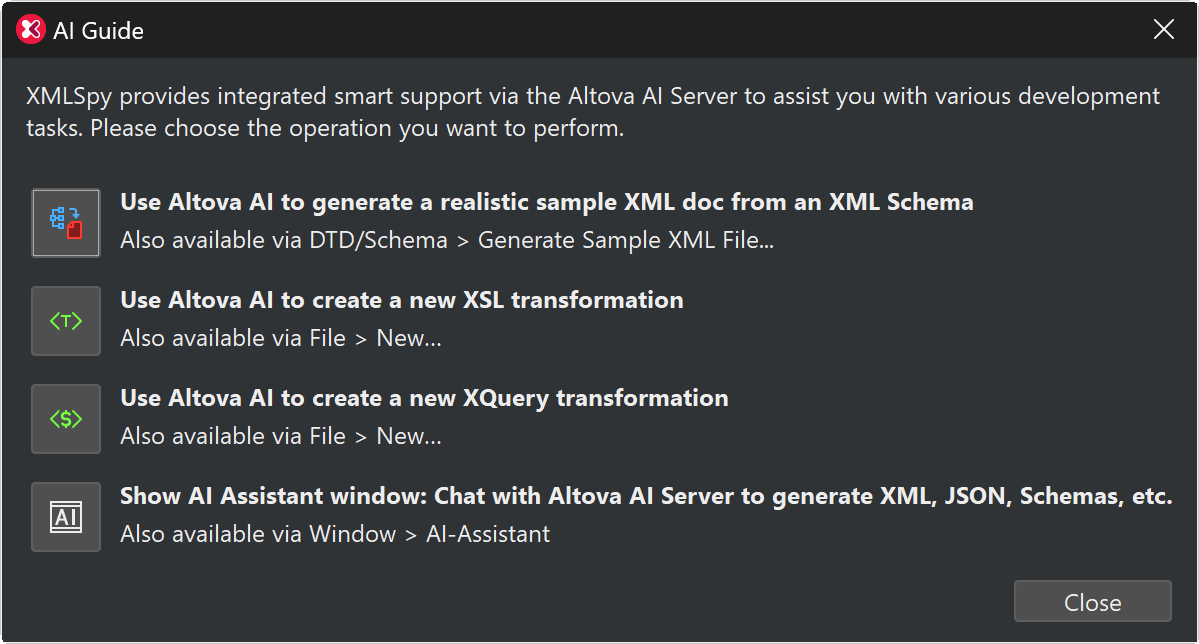
With Altova AI, you point it at the XSD and ask for a sample document.
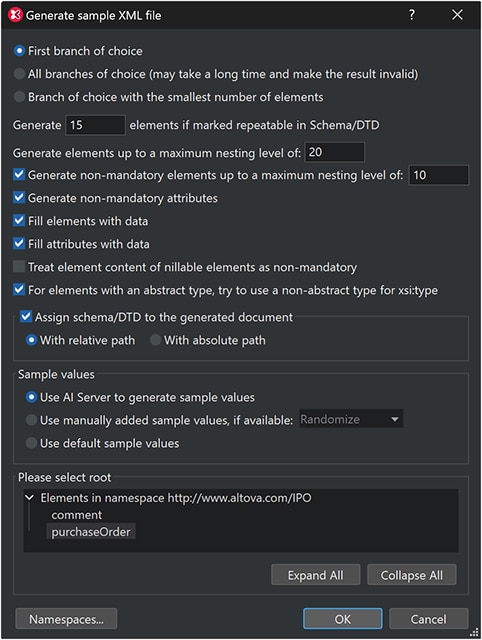
You can specify a number of options for the sample generation or keep the default values.
Then, Altova AI generates a sample instance based on your schema. Instead of random valid values, it interprets what each element means and fills in plausible data: real-looking company names, dates that make sense relative to one another, properly formatted addresses and prices, and so on:
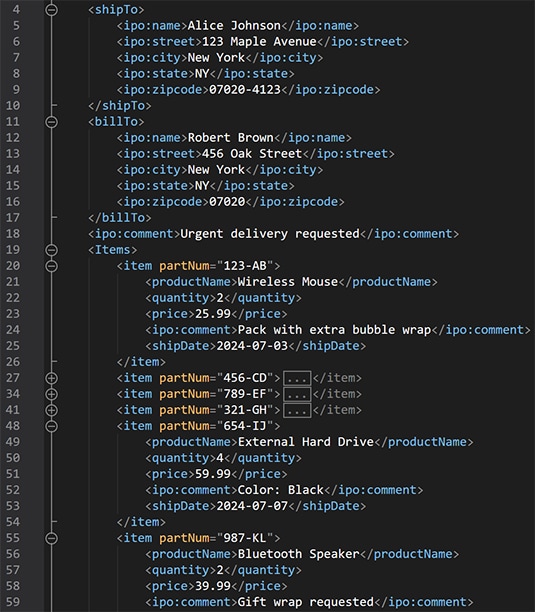
Using realistic data pays off twice. First, it surfaces edge cases that placeholder data may not, such as long names, multi-line items, values near a boundary, and so on. Second, your team can demo, document, and prototype against data that looks production-quality without ever touching real customer records. What used to be a tedious manual chore becomes a one-click request.
Example 2: XSLT or XQuery transformation between two structures
Writing transformations is the part of XML work most likely to consume an afternoon. Here is a realistic scenario: A company in the UK places orders with a German vendor and needs each English purchase order rewritten to match the element names the vendor’s accounting system expects. The two files carry the same information, but every tag is different, and so are the attribute names.
Here is the target the German system expects:
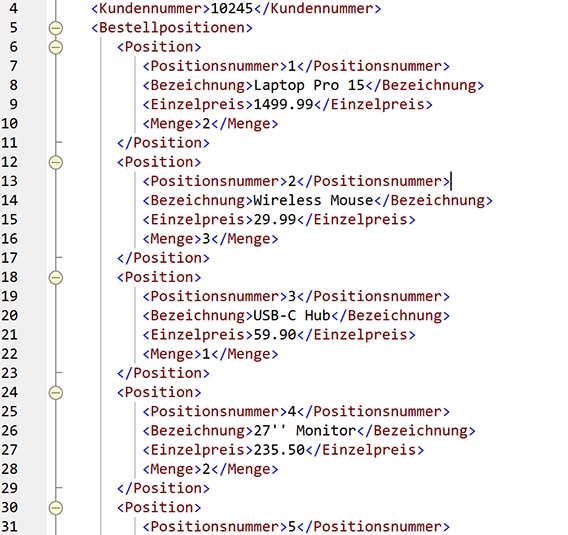
Rather than mapping numerous fields by hand, you give Altova AI both the source and the target document. It reads each one, recognizes the elements that are semantically the same field under different names, and generates an XSLT stylesheet that maps between them. Run the transformation and you get a correctly mapped German document, line items and all.
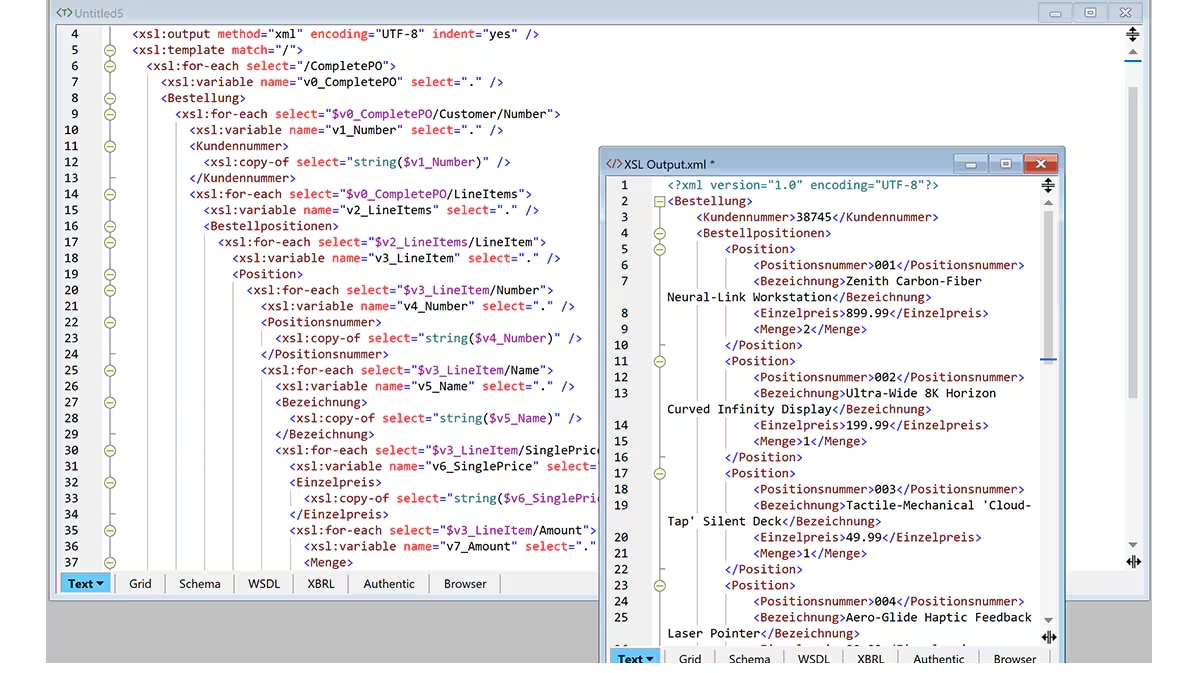
The same workflow produces XQuery instead of XSLT if that is your preference. And because the output is standard, fully editable code, you can refine it in XMLSpy’s XSLT editor, step through it in the XSLT debugger, or tune it with the XSL Speed Optimizer. Altova AI gives you a working starting point, not a black box.
AI Assistant for XML and JSON
Both examples above run through the same underlying capability that powers the interactive AI Assistant, which is a chat window built into XMLSpy. You can describe what you want in plain language and get generated content based on your current context.
From the Assistant toolbar you can copy a response, drop it into a new document, or open it directly in the XPath/XQuery window. The same natural-language workflow generates XML and JSON Schemas, sample instances, and XPath, XQuery, and XSLT code—which also makes it a quick way to learn the syntax of those languages. It works identically for JSON development: ask for a JSON Schema, an instance, or sample data and review the result in place.
The possibilities are endless, but example prompts include:
• Create an XML Schema for shipping manifests with multiple carriers and tracking events
• Create a JSON instance with example insurance claims, including a few edge cases
• Create an XSL transformation that lists all top-level elements from the active file
• Write an XPath expression that finds all orders over $10,000 placed in the last quarter
Getting started
Altova AI is available as a subscription purchased alongside your XMLSpy license. A Support and Maintenance Package (SMP) is required, and you can add the AI subscription to a new SMP or an existing one. To review the options and start a subscription, visit the Altova Online Shop. You can also see the feature in action on the Altova AI for XMLSpy page.
The tasks haven’t changed: XML developers still need test data, transformations, schemas, and queries. What’s changed is how long they take. With Altova AI doing the first draft, the work that used to fill an afternoon now fits into a coffee break.