Home. 
.

transparent

transparent

transparent

EDI Mapping

Altova MapForce® 2009 allows you to map EDI messages to and from XML, databases, flat files, Excel 2007, and Web services. Full support for the UN/EDIFACT, ANSI X12, and Health Level 7 (HL7) standards means that you can seamlessly integrate this data with other systems to meet the changing demands of business partners and customers, internal requirements, and global data transmission mandates.

EDI standards have been the dominant format for e-commerce data exchange for decades, and give organizations a fast and accurate method of transmitting transaction data without the need for human interaction. However, as a message transmission paradigm, EDI is source format and system agnostic, and requires translation and purposing for delivery to proprietary systems at its final destination. The reality that EDI precedes such prevalent integrated business technologies as ERP, CRM, many database formats, and many other supply chain enabling technologies, makes data transformation an important component of any EDI implementation.

Download Click here to download a fully functional, free 30-day trial of Altova MapForce® 2009!

Graphical EDI Mapper

MapForce is a graphical EDI mapper with native support for all of the prevalent business data formats in use today, including XML, databases, flat files, Excel 2007, Web services, as well as the EDIFACT, X12, and HL7 EDI transaction sets. Its highly intuitive interface enables EDI implementation specialists to visually design and execute mappings, or even generate code in Java, C++, or C# for recurrent transformations.

Because XML and database structures employ human-readable data, EDI specialists can inherently understand these mapping components without knowing the intricacies of the data format(s). This can help organizations greatly reduce errors by bringing implementations in-house, rather than relying on transformation code written by third parties.

MapForce simplifies EDI data integration by allowing you to visually define mappings between EDIFACT, X12, or HL7 and XML, databases, flat files, Excel 2007, and other EDI systems, as well as Web services operations. This allows your organization to reap the benefits of exchanging information electronically – without increasing costs or the complexity of your application infrastructure.

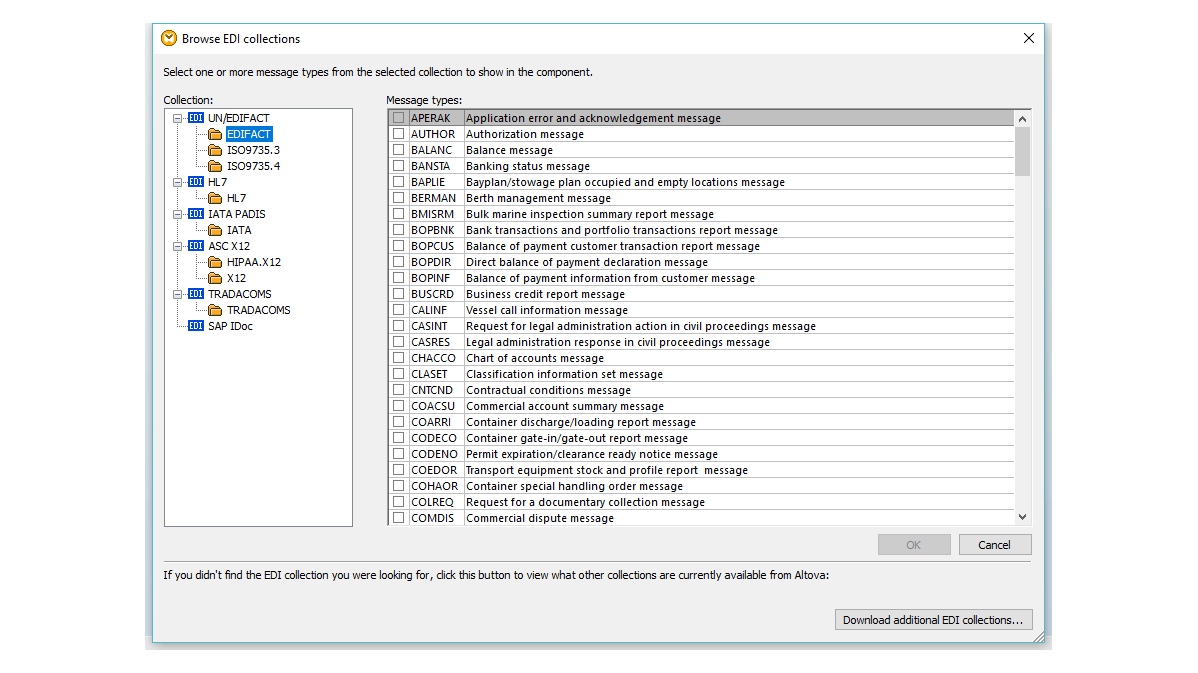
Full support for UN/EDIFACT, ANSI X12 and Health Level 7 (HL7) in MapForce allows you to use any of the hundreds of messages and transaction sets covered by these standards in your mapping design. You can even map from EDI to EDI, to, for example, convert EDIFACT files to an X12 format for your global business partners. You can also take advantage of MapForce's XML support to update your legacy HL7 v2.x messages to version 3.

In addition to shipping with the most current EDI configuration files, MapForce supports earlier versions of the EDIFACT, X12, and HL7 standards. These files are available for free download from the MapForce components page.


edi library

Because users often need to customize the EDIFACT, X12, or HL7 messages according to their specific implementations, MapForce includes a user-friendly EDI configuration file format that allows you to add new transactions or modify and enhance existing messages quickly and easily.

Developing EDI Mappings

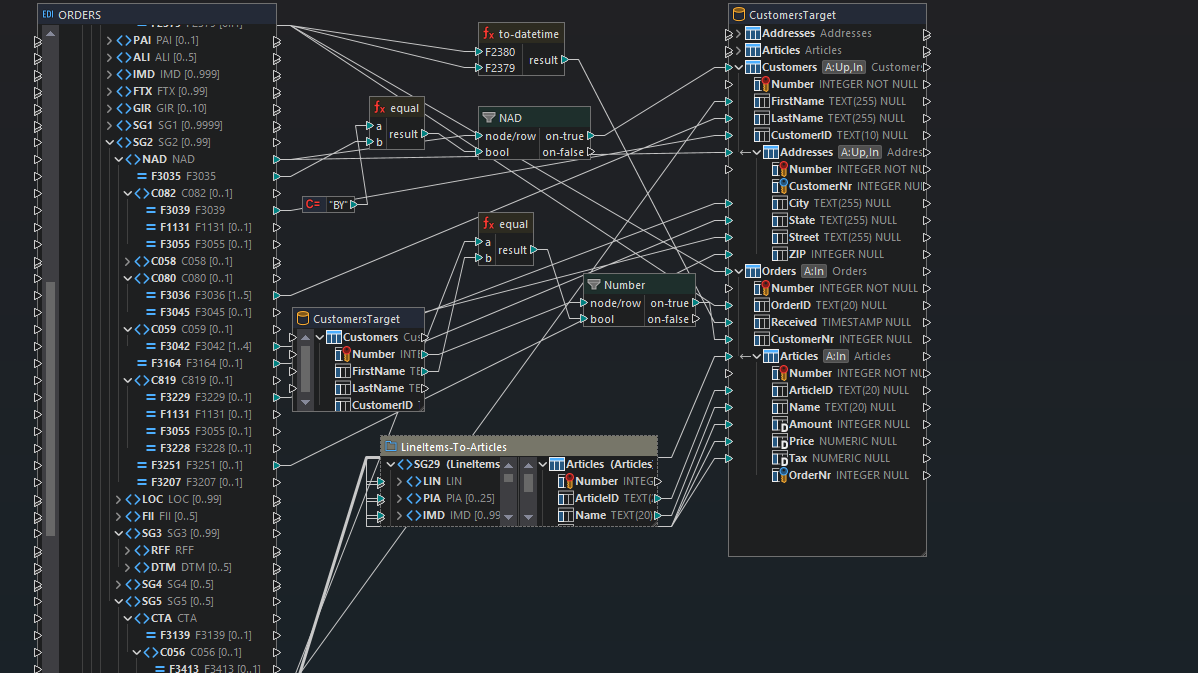
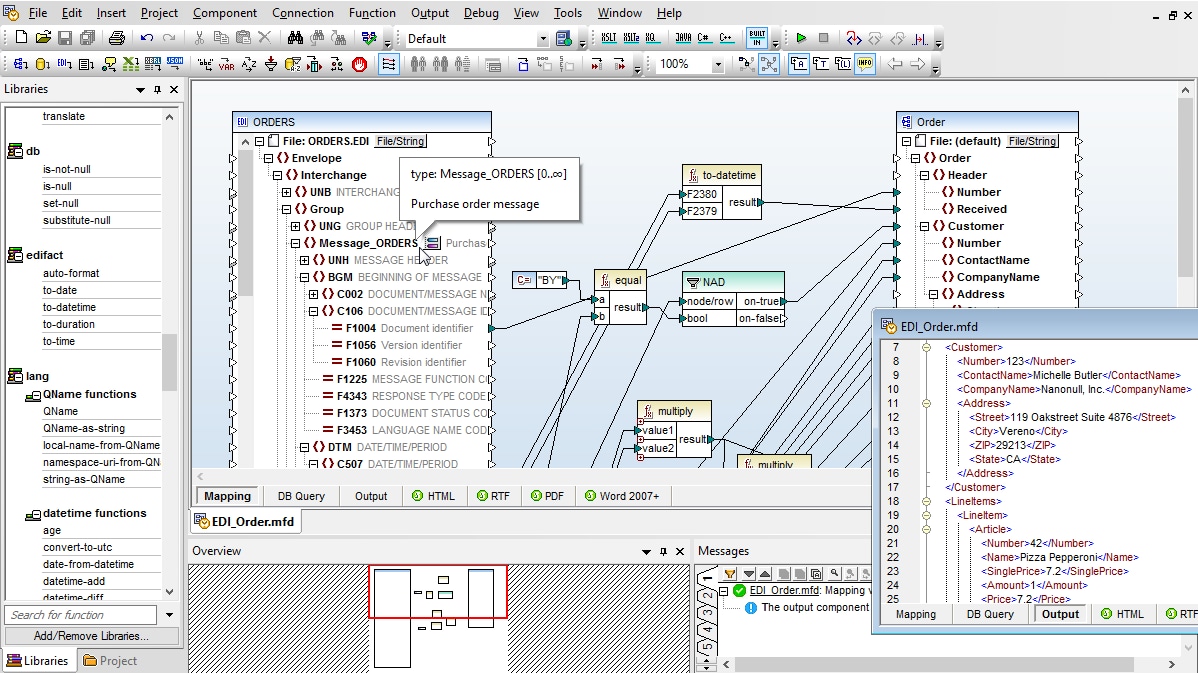
Developing an EDI to XML mapping in MapForce is as easy as opening the EDI collection(s) and other data formats you wish to integrate in the mapping window, then dragging connecting lines from the corresponding elements in the source(s) and target(s). MapForce includes a configurable option to automatically connect matching child elements, as well.

edi mapping tool
View Flash demoborderClick to enlarge

Filtering and Processing Data

You can also add data processing functions to your mapping to manipulate or filter data between the source and target data models. For example, you might want to perform logical comparisons, mathematical computations, or string operations, and make other modifications to the data. In the screenshot above, data processing functions appear as the boxes in between the lines joining the XML source and the EDI target.

Learn more in the Data Processing Functions section.

Viewing Output

Once you have finished defining your EDI mapping and data processing functions, simply click the Output tab to see the results of your mapping project instantly. Mappings to EDI produce either EDIFACT messages, X12 transaction sets, or HL7, depending upon which standard you are working with.

Learn more in the Output View section.

Automation

MapForce can also generate code for use in ongoing projects. When you need to convert data on a recurrent basis, MapForce autogenerates the application code required to programmatically marshal data from the source(s) to the target content model(s) for use in customized server-side data integration or Web services applications. Program code can be generated in Java, C++, or C# and can easily be used in any software application. MapForce also supports automating data transformations via the command line.

Learn more in the Automation section.

EDI & XML

As a global leader in the XML tools and technologies market, Altova is in a unique position to strengthen EDI and XML data integration initiatives with technologically advanced and user-friendly features.

Read more about EDI and XML mapping in MapForce here.


Experience the power of MapForce® 2009 for EDI data integration. Download a free 30-day trial of MapForce.


* “HL7,” and “Health Level Seven” are registered trademarks of Health Level Seven, Inc.


transparent
Download
Pricelist
Buy
Video
Online Training
Comparison
Datasheet
Print
Mail
Digg
delicious
.

HL7 member

.
.

EDI case study Read this case study to find out how National Frozen Foods used Altova MapForce to convert their warehouse shipping orders to X12 EDI messages, reducing costs and turn-around time, while increasing overall efficiency of their external business transactions and communications.

.
.

transparent

transparent