Updates to OpenAPI Editing and HTTP Testing in XMLSpy
XMLSpy has had an OpenAPI editor and an HTTP testing window for some time. The latest additions connect the two more closely, so you can go from an API definition to a live test request, including file uploads, without leaving the file you are working on.
Here is what's new starting in version 2027:
- Support for OpenAPI 3.2
- Graphical editing of the schemas embedded in an OpenAPI document
- Validation and sample generation based on a single schema definition
- Test requests created directly from the OpenAPI file you have open
- Support for multipart/form-data requests in the HTTP Testing Window
Let's take a look at each one.
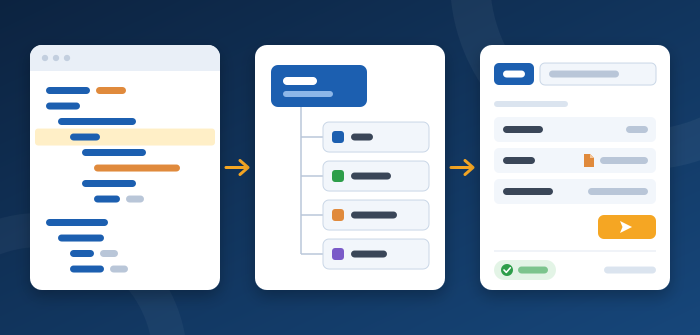
Support for OpenAPI 3.2
The XMLSpy OpenAPI editor now supports OpenAPI 3.2 in addition to versions 2.0, 3.0, and 3.1. XMLSpy reads the version from the openapi key in your YAML or JSON document, so a 3.2 definition gets 3.2-specific validation, auto-completion, and entry helpers in both Text View and Grid View. A new template gets you started on a 3.2 definition from scratch.
Edit embedded schemas graphically
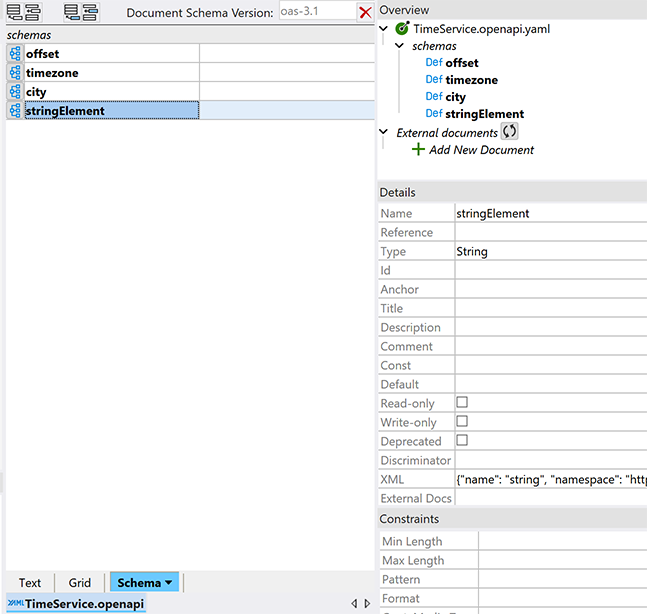
The schemas in an OpenAPI document describe the data your API sends and receives, and they are often the most detailed part of the file. In an OpenAPI 3.1 or newer document, the named schemas under components/schemas can now be edited graphically in the XMLSpy JSON Schema editor.
Switch from Text View or Grid View to Schema View to see the list of schemas in the document. Click the icon next to one to open it in the graphical Design View, where you edit it the same way as any JSON Schema. OpenAPI-specific extensions such as discriminator, xml, and externalDocs are set in the Details entry helper. A schema you add in Schema View is written back to components/schemas as a new named schema.
Create a test request from the file you have open
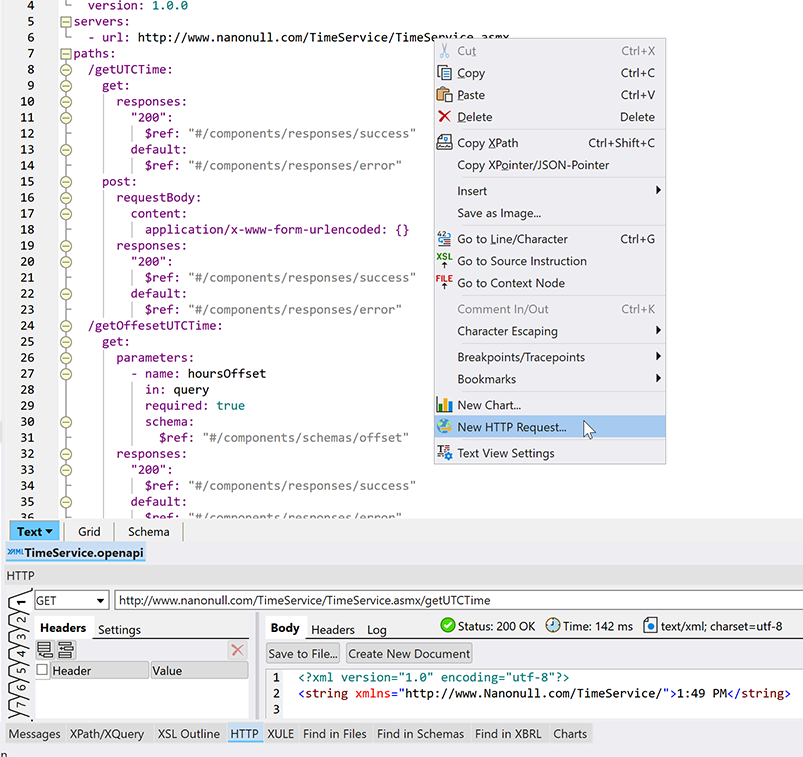
You can now start a test request right where you are editing. In Text View or Grid View, right-click a path or operation in the OpenAPI file and select New HTTP Request. XMLSpy reads the path, method, parameters, and request body from the definition and builds the request in the HTTP Testing Window.
XMLSpy fills in everything it can infer from where you clicked and only asks about what is ambiguous. If a path has several operations, you choose one. If the operation has parameters, you pick their values from a list taken from the OpenAPI document. If there is nothing to decide, you get a ready-to-send request straight away.
Test file uploads with multipart/form-data
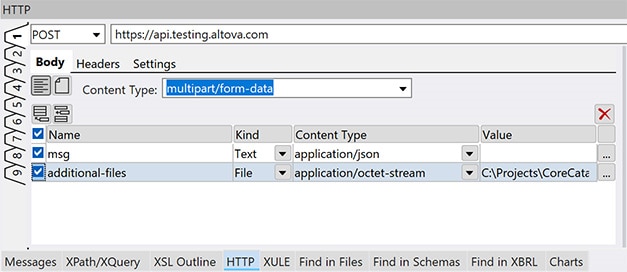
Operations that upload files or combine files with other data use multipart/form-data, and these are tedious to set up by hand. The HTTP Testing Window now sends multipart/form-data POST and PUT requests and gives you a grid for building them, with one line per form part. For each part you enter:
- A name
- The kind of part: text or file
- The content type of the part
- The text value, or the path of the file to upload
When the request comes from an OpenAPI operation with a multipart request body, the parts are filled in from the definition. You only supply the values and file paths.
Send the request and check the response
From here the HTTP Testing Window works as it always has. Adjust the headers, body, or settings if you need to, click Send, and review the response body, headers, and log in the right-hand pane.
The new schema features come in handy at this point too. Click Create New Document to open the response body in the main window, then validate it against the matching schema from your OpenAPI definition to confirm that the API returns what the definition promises.
Try it yourself
Together these additions let you edit a definition, refine its schemas, generate sample data, send a request, and validate what comes back, all in one tool.
The features described in this post are available in XMLSpy 2027 and higher. For the basics, see our earlier posts on OpenAPI tools for developers and testing HTTP requests during development.
To try the new features with your own APIs, download a free 30-day trial of XMLSpy.