XSLT Development Tools
Comprehensive Tools for Editing, Generating, and Processing XSLT
Comprehensive Tools for Editing, Generating, and Processing XSLT
XML separates content from presentation by design. XSL (eXtensible Stylesheet Language) is a language for creating stylesheets that specify how elements in XML documents should be displayed to the end-user. The XSL standard includes XPath, XSLT (eXtensible Stylesheet Language Transformations), and XSL:FO (eXtensible Stylesheet Language Formatting Objects).
There are three versions of XSLT in use today: XSLT 1.0, XSLT 2.0, and XSLT 3.0, each building on the advantages of the previous version. Altova products support all versions, with start to finish XSLT development including an intelligent text editor and debugger, visual tools that auto-generate XSLT, and a high-performance XSLT processing server.
The XMLSpy XSLT editor provides all the built-in intelligence and advanced features you need to develop effective, error-free stylesheets quickly:
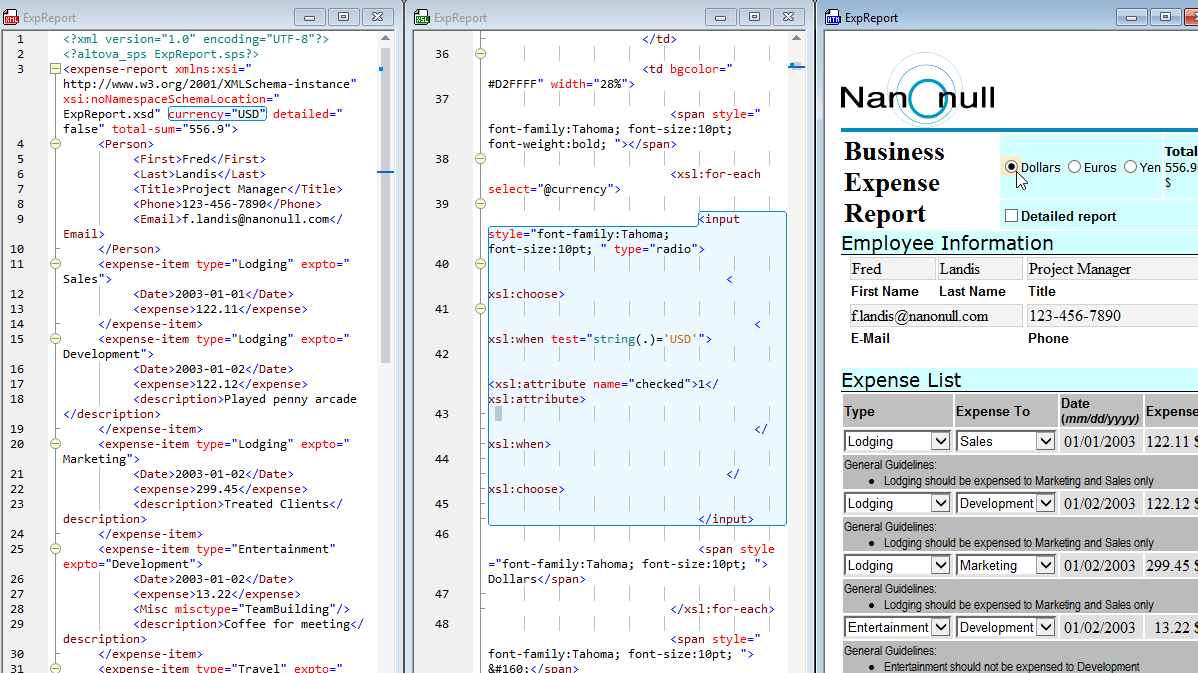
Revolutionary XSLT Back-mapping lets you instantly identify the source node and instruction driving an XSLT transformation. Simply click on a portion of the output document, and XMLSpy will highlight the source XML and XSLT.
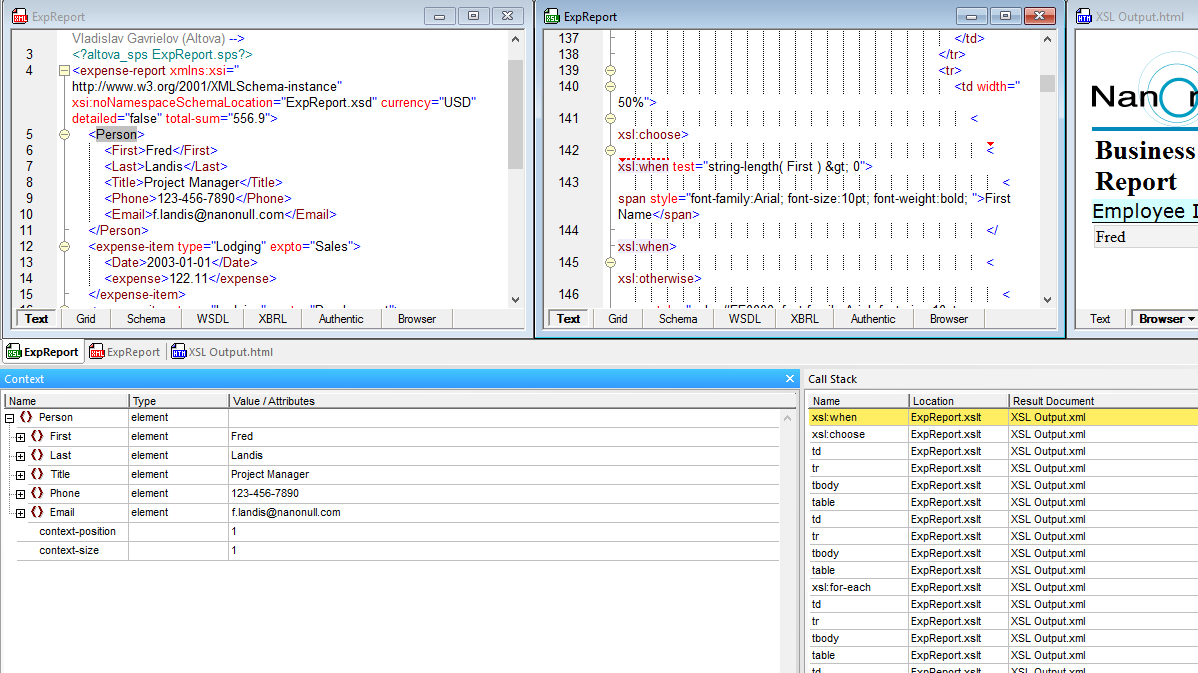
For more indepth testing, the XMLSpy XSLT Debugger lets you move through an XSLT transformation step-by-step to analyze the specific XML data node, the XSLT processing instruction, and the generated output at the same time.
This provides you with an immediate visual understanding of the way that your stylesheet is rendering the XML data so you can quickly make any necessary adjustments.
Once your stylesheet produces the desire results, it’s time to make the transformation as fast and efficient as possible.
When profiling is enabled for an XSLT transformation, the XSLT profiler displays metrics including hit count, duration, descendants’ duration, and XPath values. Values so you can immediately see which parts of your XSLT code are taking the most time to process and adjust them accordingly.
Or, you can let XMLSpy optimize your stylesheet automatically. The revolutionary XSL Speed Optimizer analyzes the transformation to identify bottlenecks, tests it against proven optimization patterns and internal information to determine speed improvements, and generates XML processing instructions (PI) to automatically insert in the stylesheet. Then the XSL Speed Optimizer re-runs the execution to determine which optimizations result in an increase in speed, and only saves those that have a positive impact.
Imagine speeding your transformations up by 5 or 10 or 20% - without re-writing a thing!
XML is well suited for multi-channel publishing scenarios, and StyleVision makes it easy to design stylesheets for publishing content simultaneously in print and web formats. Its visual stylesheet design paradigm lets you develop sophisticated stylesheets quickly and easily, by dragging and dropping design elements and styling them with intelligent entry helpers and wizards. You can even base your design on an existing form or Word document.
Your single stylesheet design produces output in HTML, RTF, PDF, and Word – as well as the corresponding XSLT and XSL:FO stylesheets. An Authentic e-form for content editing is also generated.
StyleVision functionality includes:
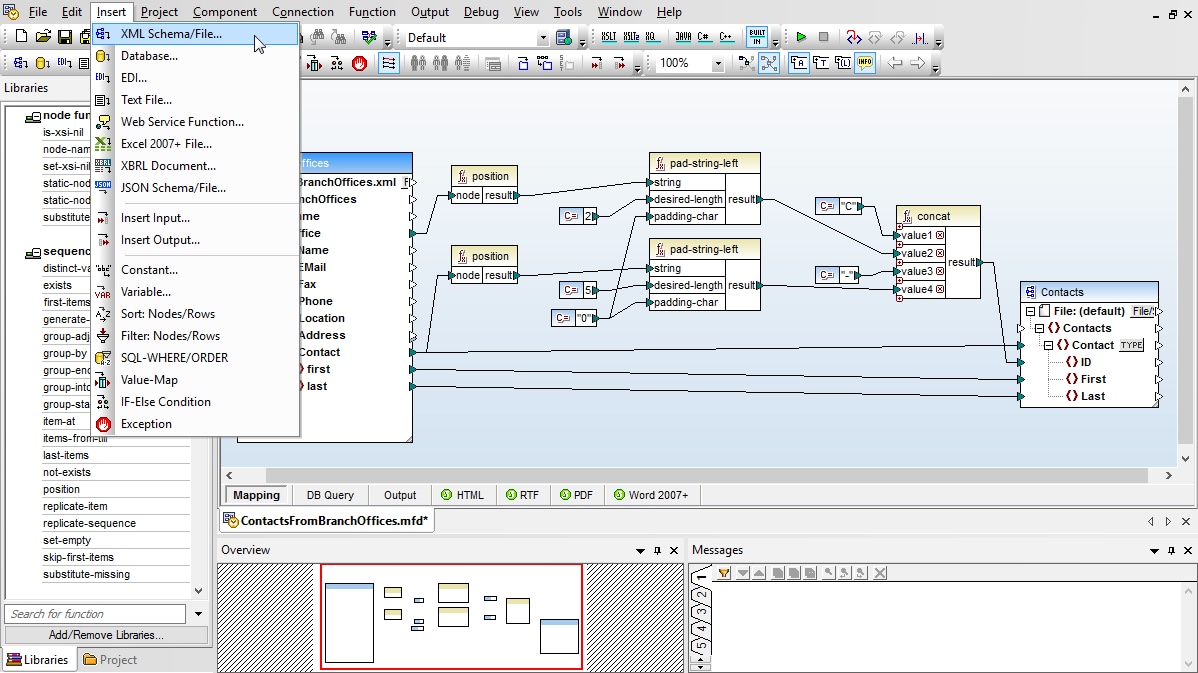
XSL transformations can also be employed to convert data conforming to one XSD to be valid against a different XSD. For generating these types of XSLT stylesheets, MapForce is the best tool. A graphical data mapping tool, MapForce lets you define XML to XML mappings visually and apply powerful filtering and data processing functionality.
Drag and drop to integrate data in MapForce using the following functionality:
XMLSpy, MapForce, and StyleVision XSL and XSLT tools are all included in the specially-priced Altova MissionKit. Get 7 XSLT tools for less than the price of 2!
Where XSLT transformation is concerned, speed is the name of the game.
Where XSLT transformation is concerned, speed is the name of the game. RaptorXML Server is built from the ground up to smoke XSLT processing times by utilizing parallel computing and employing ultra-high performance code optimizations and a low memory footprint.
RaptorXML Server features:
Use RaptorXML Server to automate processing of XSLT stylesheets developed in XMLSpy and other tools.