Home. 
.

transparent

transparent

transparent

UML Teamwork Support

Large software projects are often divided among multiple developers to shorten development cycles. UModel® 2012 includes features to assist teams working together to successfully model large projects.

The graphical communication benefits of UML software modeling multiply when more developers work on a project, as the visual representation of subprojects enhances communication across the development team.

Flexible UML Subproject Options

UModel® 2012 supports teams working on large projects by allowing projects to be split up into multiple subprojects. Individual developers may simultaneously edit different parts of a single model, and each subproject can be individually added to a source control system.

The top-level project, i.e., the project from which the subprojects are organized, is the main project. Subprojects are UML packages saved as individual UModel project files and have a *.ump extension.

  • An existing project can be split into subprojects as it grows and more developers are assigned.
  • Independent teams may initiate new UModel project files that can later be combined as subprojects under a new main project.

The screen shot below shows the UModel® 2012 Model Tree helper window for a project that includes several sub-projects. Each subproject is identified by its individual file name.

A UModel project with subprojects

UModel® 2012 lets you organize subprojects without imposing any rigid development style. Based on the preferences of your own team, you can:

  • Organize subprojects as siblings on a flat level
  • Organize subprojects hierarchically – a subproject can have its own subprojects through nesting
  • Assign each subproject as editable within the main project, or as read-only from within the main project

(Subprojects are also an efficient method for reusing existing work – visit the UModel Shared Packages page for more information on subprojects for reuse.)

The UModel Include Subproject dialog

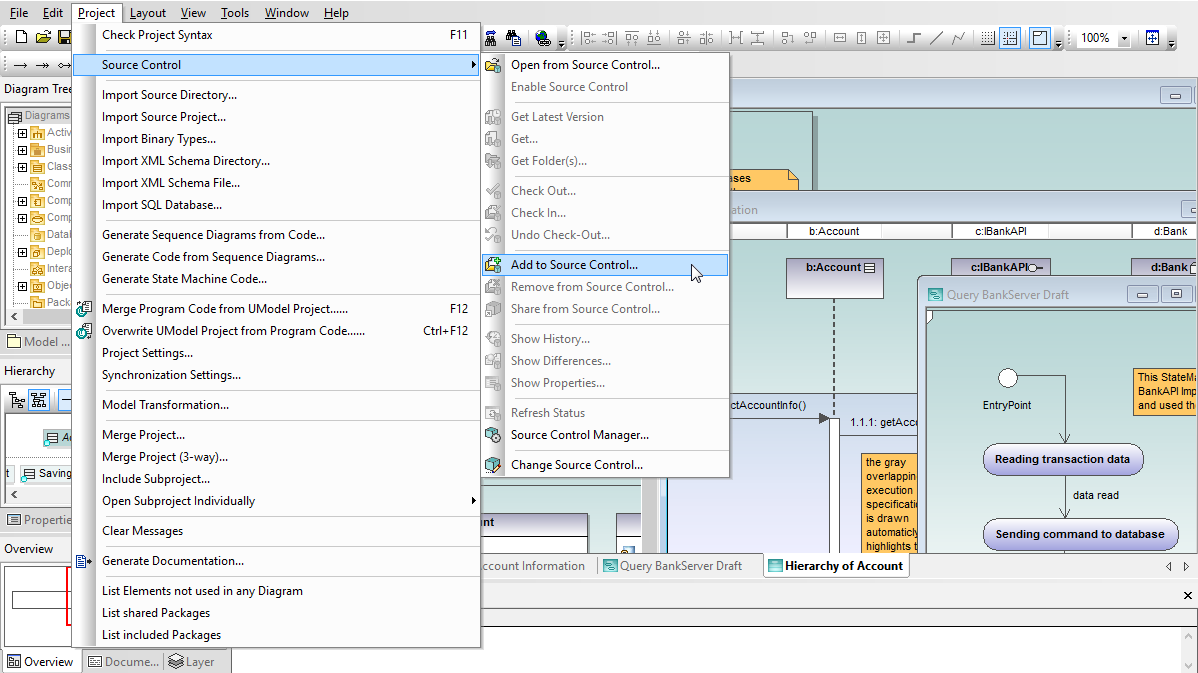
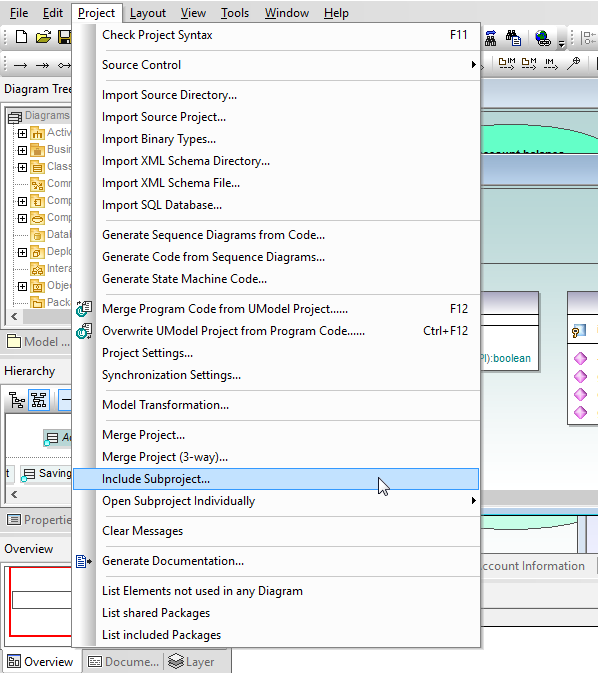
Subprojects are listed in the Project menu and can be conveniently opened individually.

The UModel Project menu

Click image to enlarge screenshot

During code generation or when updating the model from code, all subprojects are processed – there is no difference between a single project file or one that consists of multiple editable subprojects.

Subproject Documentation

The UModel Generate Documentation feature allows users to optionally include subprojects in generated documentation, offering flexibility for individual developers to generate documentation for their own subprojects, and for project managers to automatically generate documentation for the full application.

The UModel Project Documentation Include dialog

3-way project merge

If team members make independent changes in copies of the same project file, or to combine project files, UModel® 2012 project merge functionality lets you combine the changes into a single result.

The UModel Project Merge dialog

Find out for yourself how productive your team can be when members simultaneously tackle a large development project with UModel® 2012 – download a free 30-day trial of Altova UModel® 2012 today!


transparent
Download
Pricelist
Buy
Video
Comparison
Datasheet
Print
Mail
Like It
.

UML logo

.
Did you know?
.

The Altova Software Maintenance Package (SMP) includes:

Free Updates - access new software versions and maintenance releases.

Technical Support - priority response to your problem or quesion.

Online Help - file a support request or enter a discussion forum on the Web.

.

Altova SMP

.
.

transparent

transparent