UModel supports import and export of models as industry standard XMI files for maximum UML compatibility. UModel supports the latest XMI version – XMI 2.4 – both to import XMI files describing UML models created in other applications and to export UModel projects.
Support for industry-standard XMI import and export creates opportunities to extend the benefits of UML in large development teams. You can add copies of UModel to work alongside – or even to replace – higher-priced and cumbersome legacy UML tools. Team members can also employ XMI export to share UModel projects with specialized UML add-ons such as model execution and debugging tools that are not required by the entire project team.
XMI 2.4 supports the latest UML 2.4 standard and also provides backward compatibility with UML 2.0, UML 2.1, UML 2.2 and UML 2.3. UModel can import XMI files that describe models in any UML 2 version.
Successful import of an XMI file into UModel creates a new UML project, with each element fully editable exactly as if the project had been originally created in UModel. You can open diagrams to display content or relationships.
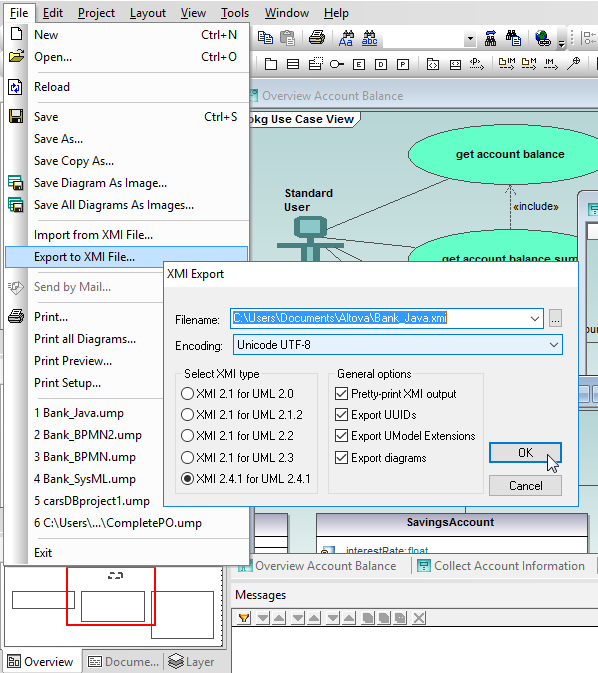
You can also add new functionality or modify existing features, then generate code or export the updated project as XMI again.