Home. 
.

transparent

transparent

transparent

XSLT for HTML

Altova StyleVision® 2012 simplifies the creation of XSLT 1.0/2.0 stylesheets for transforming XML, XBRL, and database data to attractive HTML Web pages.

One of the most prevalent uses for XSLT stylesheets is for presenting data from XML documents and databases on HTML Web pages. The unique StyleVision design interface allows you to visually design XSLT 1.0 or 2.0 stylesheets to produce HTML output from XML or databases quickly and easily. In addition, that same design simultaneously produces an Authentic eForm, as well as RTF, PDF, and Word 2007+ (OOXML) output and the associated stylesheets. StyleVision can also be used to format and render XBRL financial reports in HTML.

StyleVision autogenerates standards-conformant XSLT 1.0 stylesheets with XPath 1.0 expressions. It also includes complete implementations of XSLT 2.0 and XPath 2.0 specifications from the W3C. The 2.0 versions include significant improvements and new features that improve code stability and reusability, as well as an impressive array of new functions and operators.

In addition, XSLT 2.0 support in StyleVision is schema-aware. Schema-awareness provides additional mechanisms for error isolation, simplified debugging, and enhanced code performance. XSLT 2.0 and XPath 2.0 allow you create stylesheets that are much more powerful and highly efficient.

To read more about the benefits of XSLT 2.0, check out the XSLT 2.0 page in the Solutions Center.

In StyleVision, you can select whether you wish to use XSLT 1.0 or XSLT 2.0 for individual designs. Depending on your selection, the appropriate functionality will automatically be made available in the design interface, and transformations to HTML will be made with the corresponding XSLT processor (XSLT 1.0 or XSLT 2.0).

You can also choose to have StyleVision generate XHTML output from your designs.

Download Click here to download a fully functional, free 30-day trial of Altova StyleVision® 2012!

Click the links below to navigate this page and get more information on these StyleVision functions:

Visual XSLT Design for HTML

The unique StyleVision approach to stylesheet design makes creating presentation stylesheets for HTML easier and faster than ever before. The intuitive visual design process means you don’t need prior XSLT, XPath, or template coding experience to design stylesheets in StyleVision.

To begin creating an XSLT stylesheet, simply open an existing XML Schema, XML instance, DTD, XBRL taxonomy, or database in StyleVision, and the content model will appear in the Schema Tree entry helper. You can even connect to multiple XML and database schemas to incorporate data from multiple sources – such as an XML file and a database – in your design. When you select an element or attribute that you wish to see in your HTML output and drag it from the Schema Tree window onto the design pane, StyleVision prompts you to specify how you would like the new node to be handled (for example, as a new paragraph, image, table, etc.). This information will be rendered dynamically based on the data in your source(s). You can also insert static content such as header text, images, hyperlinks, and so on.

stylesheet design

Note StyleVision also offers an alternative design paradigm for those more accustomed to working with common desktop publishing applications. For more information, see the Electronic Forms Design page.

The StyleVision interface provides advanced entry helper windows for viewing, editing, and assigning the style and layout properties of each element or document section in your design. Learn more about this functionality on the Stylesheet Design page.

To meet the specific rendering requirements of XBRL financial data, StyleVision includes an easy to use XBRL Table Wizard. Learn more about this feature on the XBRL Rendering page.

Re-use Existing XSLT

If you already have written XSLT code or have inherited a project where some of the work has already been done, you can easily use StyleVision's visual design interface to tweak, augment, or completely redesign HTML or PDF output. See our Re-use Existing XSLT page for more information on this feature.

JavaScript and CSS (Incl. CSS3) Support

StyleVision supports advanced functionality for building HTML Web pages, including CSS (including CSS3) styles and JavaScript functions. You can add precise visual styling rules to your designs using built-in CSS styles, and you can import your own CSS documents to leverage work you’ve already completed. StyleVision includes a JavaScript editor for defining JavaScript functions, and each JavaScript function that you define is listed under Scripts in the Design Tree window. You can assign functions to design components via the Event tab in the Properties window to add event-based interactivity to your Web page. Learn more about support for CSS and support for JavaScript in StyleVision.

HTML5 Support

StyleVision supports HTML5 – simply select HTML5 under Select HTML Output Mode (DOCTYPE) in the Properties dialog box (below).

HTML5 support

Please note that you must have Internet Explorer® 9 installed for StyleVision to support HTML5.

Generate XHTML

StyleVision will generate XHTML 1.0 Transitional instead of HTML 4.01 from your designs. This setting can be easily selected or modified at any time in the Properties window.

xhtml output

Web Site Design

In addition to HTML and XHTML output, StyleVision lets you automatically generate dynamic ASPX Web applications based on your template designs. Read more about Web design in StyleVision.

Advanced Stylesheet Functions

Stylesheets designed in StyleVision support advanced functionality such as conditional templates, auto-calculations, business logic validation, and much more. Read more about advanced stylesheet functions.

Multi-channel Publishing

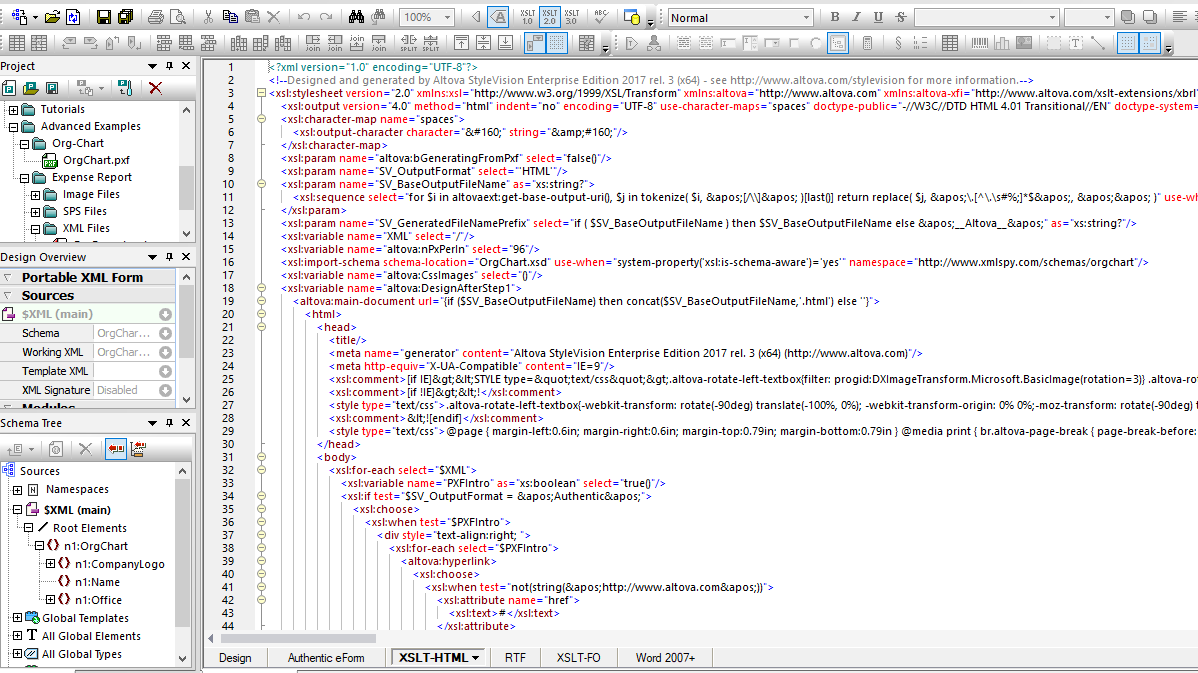
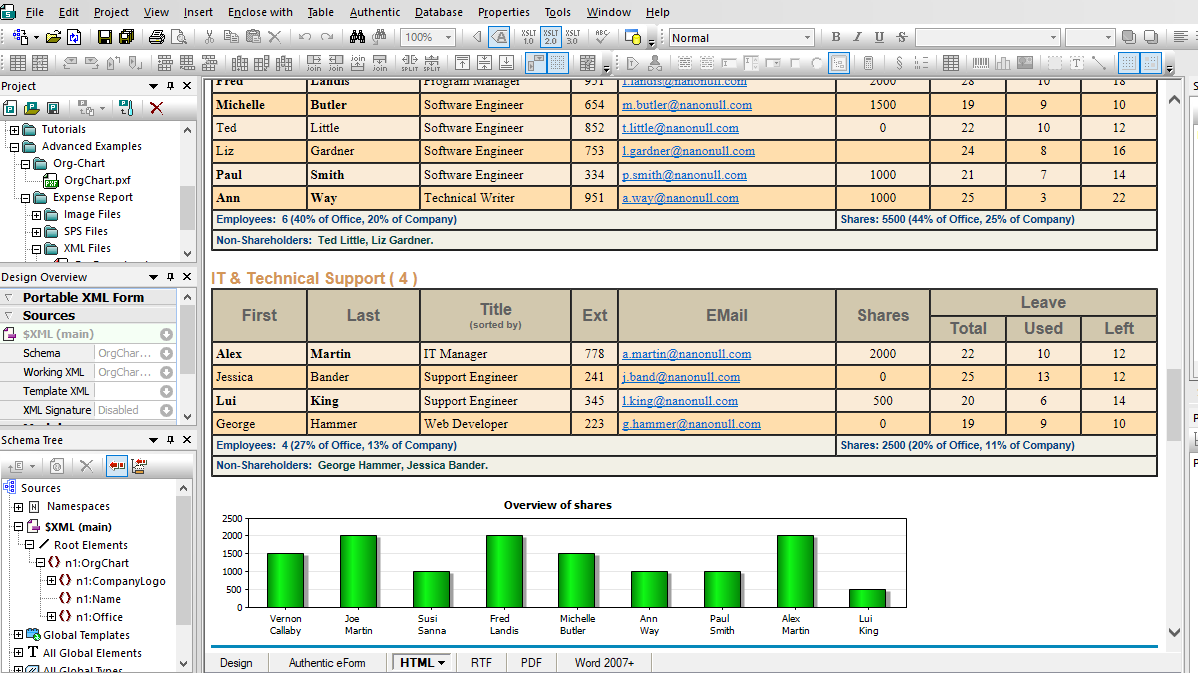
The StyleVision visual, drag-and-drop design approach allows you to create standards-conformant XSLT 1.0/2.0 stylesheets and rich HTML output in minutes – a process that can take hours when performed manually. As you’re creating your design, the resulting XSLT 1.0 or 2.0 stylesheet is autogenerated along with the HTML output, both which can be viewed by clicking on the Preview HTML tab in the design window.

HTML design using CSS and JavaScript

In addition to the XSLT stylesheet for HTML and the associated output, StyleVision also simultaneously generates RTF, PDF, and Word 2007+ (OOXML) output, plus the associated stylesheets, and an Authentic eForm. These stylesheets and output files are all generated based on the single design you create, and you can save the standards-conformant stylesheets and output files separately at any time.

save output and stylesheets

Find out more on the Multi-channel Publishing page.


The ability to produce all of these stylesheets and output formats based on a single design makes StyleVision® 2012 the perfect tool for publishing your XML, XBRL, and database data in multiple media formats - including HTML - quickly and easily. Download a free 30-day trial of StyleVision.


transparent
Download
Pricelist
Buy
Video
Online Training
Comparison
Datasheet
Print
Mail
Like It
.
Benefits of XSLT 2.0
.

Read the InfoTrends/CAP Ventures report, XSLT 2.0: Understanding the Development and Business Benefits to learn more about the the expected impact of this important new standard.

.
.
.

transparent

transparent