| Name | Ext | Description | Vertical | Standards Body |
|---|
| ACORD Standards |
| The insurance industry's data standards for policy, claims, billing, and reinsurance transactions between carriers, brokers, and agencies. | Insurance |
|
| AUTOSAR XML |
| The AUTOSAR exchange format describing automotive ECU software architecture, interfaces, and communication matrices - central to every modern vehicle development program. | Automotive engineering |
|
| Atom Syndication Format |
| The IETF-standardized web-feed format used by blogs, news sites, and many enterprise APIs as an alternative to RSS. | Media, publishing, APIs |
|
| BPMN (Business Process Model and Notation) |
| The OMG standard for business process diagrams and executable process definitions, used by Camunda, Signavio, Bizagi, and most BPM suites. | Business process management, workflow automation |
|
| CBCR (Country-by-Country Reporting) |
| The OECD schema through which multinational enterprises report revenue, profit, and tax paid per jurisdiction to tax administrations under BEPS Action 13. | Tax reporting, regulatory compliance |
|
| CDISC ODM / Define-XML |
| The clinical research standards for exchanging trial data and describing dataset metadata in regulatory submissions to the FDA and PMDA. | Clinical trials, pharmaceutical R&D |
|
| CML (Chemical Markup Language) |
| The open vocabulary for molecules, reactions, and spectra used in cheminformatics toolkits, chemical databases, and scientific publishing. | Chemistry, cheminformatics |
|
| DAISY Digital Talking Book |
| The accessible-publishing standard for navigable audio and text books used by libraries and services for print-disabled readers. | Accessible publishing, libraries |
|
| DITA (Darwin Information Typing Architecture) |
| The OASIS architecture for topic-based technical documentation, used for modular authoring, conditional publishing, and content reuse across product documentation sets. | Technical documentation, content management |
|
| DMN (Decision Model and Notation) |
| The OMG standard for business decision logic and decision tables, executed by business rules engines alongside BPMN processes. | Business rules, decision automation |
|
| DocBook |
| A long-established markup vocabulary for technical books, manuals, and reference documentation, widely used in open-source and publishing toolchains. | Technical publishing, documentation |
|
| Dublin Core Metadata |
| The most widely deployed metadata vocabulary for describing digital and physical resources, embedded in library catalogs, repositories, and content management systems. | Libraries, archives, metadata management |
|
| EC CESOP |
| The European Commission schema through which payment service providers report cross-border payment data quarterly to combat VAT fraud. | Payments, VAT compliance |
|
| EPUB (Electronic Publication) |
| The dominant open e-book standard; the package document, navigation document, and content files inside an EPUB are XML and XHTML. | Publishing, e-books, education |
|
| FDA SPL (Structured Product Labeling) |
| The HL7 document standard in which drug and device labeling, ingredients, and establishment registration data are submitted to the FDA. | Pharmaceutical regulatory affairs |
|
| FIXML |
| The XML encoding of the FIX protocol used for securities order routing, execution reports, and post-trade clearing messages at exchanges and CCPs. | Capital markets, securities trading |
|
| FpML (Financial products Markup Language) |
| The industry standard for describing OTC derivatives and structured products, used for trade confirmation, valuation, and regulatory reporting under EMIR and Dodd-Frank. | Capital markets, derivatives |
|
| GML (Geography Markup Language) |
| The OGC grammar for geographic features that underpins many national spatial data infrastructures and the EU INSPIRE directive. | Geospatial / GIS, government |
|
| GPX (GPS Exchange Format) |
| The de facto standard for exchanging GPS waypoints, routes, and tracks between devices and apps such as Garmin, Strava, Komoot, and Ride with GPS. | GPS, outdoor sports, fleet tracking |
|
| GS1 EPCIS / GS1 XML |
| The GS1 standards for supply chain event visibility and business documents, underpinning traceability mandates in food safety and pharmaceutical serialization. | Supply chain, retail, pharma traceability |
|
| HL7 CDA / C-CDA (Clinical Document Architecture) |
| The HL7 standard for clinical documents such as discharge summaries, referrals, and continuity-of-care records; the backbone of health information exchange. | Healthcare |
|
| HL7 FHIR (XML Serialization) |
| The XML form of FHIR resources and bundles — the dominant modern healthcare interoperability standard, required by the US CMS Interoperability Rule. | Healthcare |
|
| HL7 Version 3 (Normative Edition) |
| The HL7 v3 message and document models for healthcare interoperability, including the Clinical Document Architecture and the RIM-derived message vocabularies. | Healthcare |
|
| HR Open Standards (HR-XML) |
| The interoperability standards for human resources data - job postings, candidate profiles, payroll, benefits, and time reporting - exchanged between HCM systems and service providers. | Human resources, payroll |
|
| IEC CIM (Common Information Model) |
| The IEC 61970/61968 model for exchanging electrical grid topology, asset, and market data between utility control centers and planning tools. | Utilities, energy grid operations |
|
| ISO 20022 Payment Messages |
| The global financial messaging standard for credit transfers, direct debits, and cash reporting (pain, pacs, camt) — now mandatory for SEPA, CHAPS, Fedwire, and SWIFT cross-border payments. | Banking, payments, treasury |
|
| JSP Tag Library Descriptor |
| The XML descriptor that declares custom tags, functions, and validators available to JavaServer Pages in Java web applications. | Enterprise Java applications |
|
| JasperReports Report Template |
| The XML report template of JasperReports, the most widely embedded open-source reporting engine in Java business applications. | Business intelligence, enterprise reporting |
|
| Java EE Deployment Descriptors |
| The configuration documents (web.xml, ejb-jar.xml, application.xml) that define servlets, EJBs, security constraints, and resource references in Java enterprise applications. | Enterprise Java applications |
|
| KML (Keyhole Markup Language) |
| The format for geographic annotation and visualization popularized by Google Earth and Google Maps, now an OGC standard. | Geospatial / GIS |
|
| LandXML |
| The interchange format for civil engineering and land survey data - alignments, surfaces, parcels, and cross sections - supported by Civil 3D, Bentley, and Trimble. | Civil engineering, surveying |
|
| MISMO |
| The mortgage industry's data standard for loan origination, underwriting, servicing, and secondary-market delivery, required by Fannie Mae and Freddie Mac. | Mortgage, lending |
|
| MPEG-DASH MPD (Media Presentation Description) |
| The manifest that drives MPEG-DASH adaptive video streaming used by YouTube, Netflix, and most modern streaming platforms. | Broadcast, OTT video streaming |
|
| MTConnect |
| The manufacturing standard through which CNC machines, robots, and sensors publish operational data to MES and analytics systems on the shop floor. | Manufacturing, industrial IoT |
|
| MusicXML |
| The standard format for exchanging sheet-music notation between Finale, Sibelius, MuseScore, Dorico, and music scanning software. | Music notation, publishing, education |
|
| NCAXML |
| The National Coffee Association's standard for green coffee trade documents - contracts, shipping advices, and weight certificates - between growers, traders, and roasters. | Commodity trading, food supply chain |
|
| NIEM XML |
| The National Information Exchange Model used for information sharing across US justice, immigration, emergency management, and public health agencies. | Government information exchange |
|
| NITF (News Industry Text Format) |
| The IPTC standard for marking up news article content and metadata, used by wire services and newspaper production systems. | News media, publishing |
|
| NewsML |
| The IPTC standard for packaging and exchanging multimedia news items, including text, images, video, and their rights and provenance metadata. | News media, syndication |
|
| OAGIS (Open Applications Group Integration Specification) |
| A widely deployed canonical model of Business Object Documents for integrating ERP, CRM, MES, and logistics applications across enterprises. | Enterprise application integration |
|
| ODX (Open Diagnostic Data Exchange) |
| The ASAM/ISO 22901 format describing vehicle diagnostic data, fault codes, and ECU flash procedures used by service tools and test benches. | Automotive diagnostics, aftersales |
|
| OFX / QFX (Open Financial Exchange) |
| The format banks and brokerages use for downloadable account statements and transaction histories consumed by Quicken, QuickBooks, and accounting systems; OFX 2.x is pure XML. | Banking, personal and business finance |
|
| ONIX for Books |
| The global standard by which publishers send book metadata - titles, contributors, prices, rights - to retailers, wholesalers, and libraries. | Book publishing, retail supply chain |
|
| OOXML (Office Open XML) |
| The ECMA-376 / ISO 29500 markup inside every modern Word, Excel, and PowerPoint file; WordprocessingML, SpreadsheetML, and PresentationML parts are XML documents within an OPC package. | Office productivity, business documents |
|
| OSM XML (OpenStreetMap) |
| The native data format of the OpenStreetMap project, containing the nodes, ways, and relations that describe the world map. | Geospatial / GIS, mapping |
|
| OpenDRIVE |
| The ASAM standard describing road networks, lanes, and signage for driving simulation and autonomous-vehicle validation. | Automotive, autonomous driving simulation |
|
| OpenSCENARIO |
| The ASAM standard describing dynamic traffic scenarios and manoeuvres used to test advanced driver assistance and autonomous driving functions. | Automotive, autonomous driving simulation |
|
| P3P (Platform for Privacy Preferences) |
| The W3C format for machine-readable website privacy policies, letting browsers compare a site's data practices against user preferences. | Web privacy, compliance |
|
| RIXML |
| The standard for tagging and distributing investment research so that buy-side firms can categorize, route, and search sell-side analyst publications. | Capital markets, investment research |
|
| RSS (Really Simple Syndication) |
| The web-feed format behind news syndication and virtually all podcast distribution — every podcast in the world is published as an RSS document. | Media, publishing, podcasting |
|
| SDMX-ML |
| The ISO standard for exchanging statistical data and metadata, used by the ECB, Eurostat, IMF, OECD, BIS, and national statistical institutes. | Official statistics, central banking |
|
| SMIL (Synchronized Multimedia Integration Language) |
| The W3C language for timed multimedia presentations, used in digital signage, broadcast playout, streaming ad insertion, and accessible talking books. | Digital signage, broadcast, multimedia |
|
| SSIS Package (SQL Server Integration Services) |
| The package file that defines a SQL Server Integration Services ETL job - control flow, data flow, and connection managers - stored entirely as XML. | Data integration, ETL, data warehousing |
|
| SSRS Report Definition Language |
| The XML report definition consumed by SQL Server Reporting Services and Power BI Report Server, describing datasets, layout, and parameters. | Business intelligence, enterprise reporting |
|
| SVG (Scalable Vector Graphics) |
| The web and print standard for resolution-independent vector graphics; every logo, icon, and chart saved as SVG is a plain XML document. | Graphic design, web, publishing |
|
| StratML (Strategy Markup Language) |
| The ISO standard for machine-readable strategic plans and performance reports, used by US federal agencies and other public-sector bodies. | Government, strategic planning |
|
| TCX (Training Center XML) |
| Garmin's format for fitness activity data - heart rate, laps, cadence, and GPS - exchanged between sports watches and platforms such as Strava and TrainingPeaks. | Fitness, sports analytics |
|
| TEI (Text Encoding Initiative) |
| The scholarly standard for encoding literary and historical texts, manuscripts, and critical editions in digital humanities projects worldwide. | Digital humanities, academic research |
|
| TMX (Translation Memory eXchange) |
| The industry-standard format for exchanging translation memories between computer-aided translation tools such as Trados, memoQ, and Phrase. | Localization, translation |
|
| TTML / DFXP (Timed Text Markup Language) |
| The standard format for subtitles and closed captions in broadcast and streaming workflows, including the Netflix and IMSC delivery profiles. | Broadcast, streaming, accessibility |
|
| Tableau Workbook / Data Source |
| Tableau's uncompressed workbook and data-source files, which store worksheets, calculated fields, and connection metadata as XML. | Business intelligence, analytics |
|
| UBL (Universal Business Language) |
| The OASIS/ISO standard behind Peppol, XRechnung, and most national e-invoicing mandates, covering invoices, orders, despatch advices, and credit notes. | E-invoicing, procurement, ERP integration |
|
| UN/CEFACT Cross Industry Invoice (Factur-X / ZUGFeRD) |
| The CII syntax used by the French Factur-X and German ZUGFeRD hybrid e-invoice formats, where a factur-x.xml payload carries the machine-readable invoice data. | E-invoicing, accounts payable |
|
| USPTO Patent XML |
| The formats in which the US Patent and Trademark Office publishes patent grants and applications, including full text, claims, and bibliographic data. | Intellectual property, legal research |
|
| VAST (Video Ad Serving Template) |
| The IAB standard response format through which video ad servers deliver creatives and tracking events to players - behind essentially every online video ad. | Digital advertising, adtech |
|
| VoiceXML |
| The W3C language for building voice dialogs in interactive voice response systems, defining prompts, grammars, and call flow logic. | Contact centers, telephony |
|
| WML (Wireless Markup Language) |
| The WAP-era markup for pages delivered to early mobile handsets; still encountered in legacy telecom systems and archived content. | Telecommunications (legacy) |
|
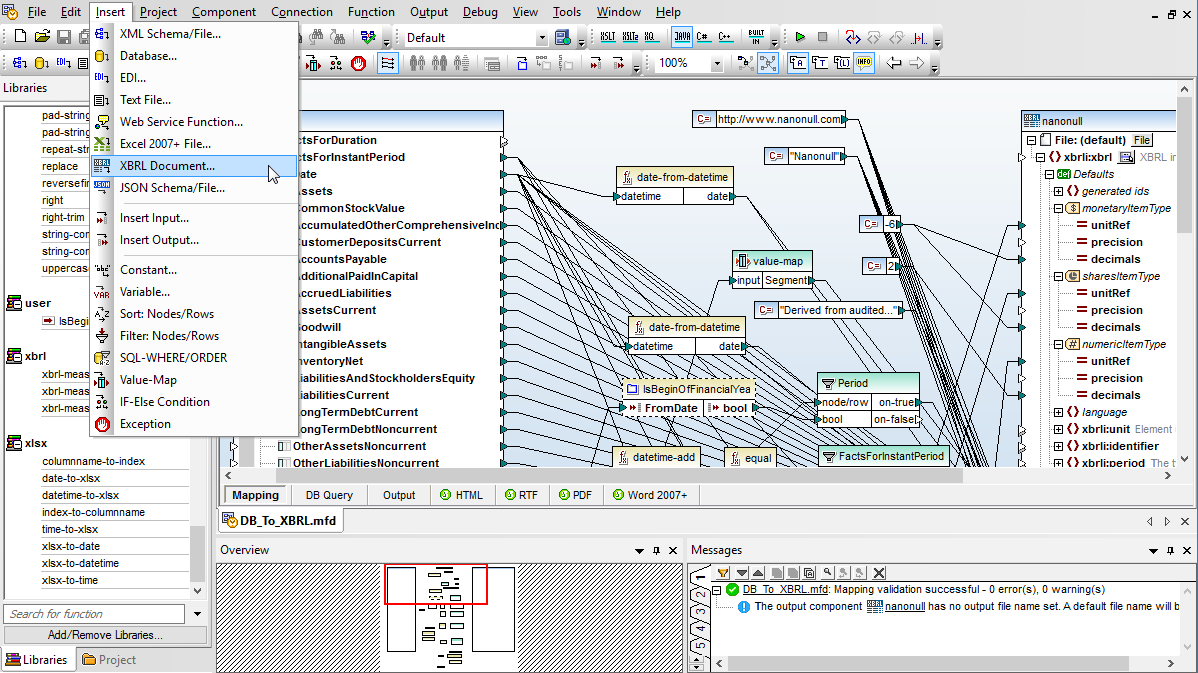
| XBRL (eXtensible Business Reporting Language) |
| The global standard for digital financial and regulatory reporting, mandated by the US SEC (EDGAR), ESMA (ESEF), HMRC, and dozens of other regulators. | Finance, accounting, regulatory reporting |
|
| XLIFF (XML Localization Interchange File Format) |
| The OASIS standard for moving translatable content between translation management systems and CAT tools; the workhorse file of the localization industry. | Localization, translation |
|
| XMI (XML Metadata Interchange) |
| The OMG standard for exchanging UML and other metamodel-based models between modeling tools such as Enterprise Architect, MagicDraw, and Papyrus. | Software architecture, enterprise modeling |
|
| XML Resume |
| A structured vocabulary for CVs and resumes, enabling a single source document to be published to multiple output formats and parsed by applicant tracking systems. | Recruiting, human resources |
|
| XMP (Extensible Metadata Platform) |
| Adobe's ISO-standardized metadata format for photos, videos, and creative assets; sidecar .xmp files are plain XML/RDF written by Lightroom, Bridge, and Camera Raw. | Photography, digital asset management |
|
| cXML (commerce XML) |
| The transaction format behind SAP Ariba and most B2B punchout catalogs, purchase orders, and invoices in enterprise procurement. | Procurement, B2B commerce |
|
| gbXML (Green Building XML) |
| The interoperability format that carries building geometry, zones, and construction data from CAD/BIM tools into energy simulation and HVAC load analysis. | AEC, building energy modeling |
|
| ifcXML (Industry Foundation Classes, XML) |
| The XML serialization of the buildingSMART IFC model - the open standard for exchanging Building Information Models between Revit, ArchiCAD, Tekla, and others. | AEC, BIM, construction |
|