Database Schema Differencing ToolDatabase schema differencing in DiffDog® 2012 lets you compare database structures and visually identify and merge differences. You can compare two databases of the same type, for instance a developer’s version and the production version of your database, or you can compare two schemas of different database types. DiffDog® 2012 supports database schema differencing for these popular databases:
Start a database schema comparison by choosing the File / Compare Database Schema menu option or by clicking the compare database schemas button on the toolbar.
Connect to DatabasesThe database Quick Connection Wizard opens to offer connection to all supported databases. This is the same convenient database connection tool used by other Altova MissionKit applications to connect to databases.
Select Database Schemas for DifferencingAfter you connect to a database, a selection dialog lets you choose schemas and tables to compare on both the left and right side. The icon at the top next to the data source name lets you relaunch the Connection Wizard to add another database.
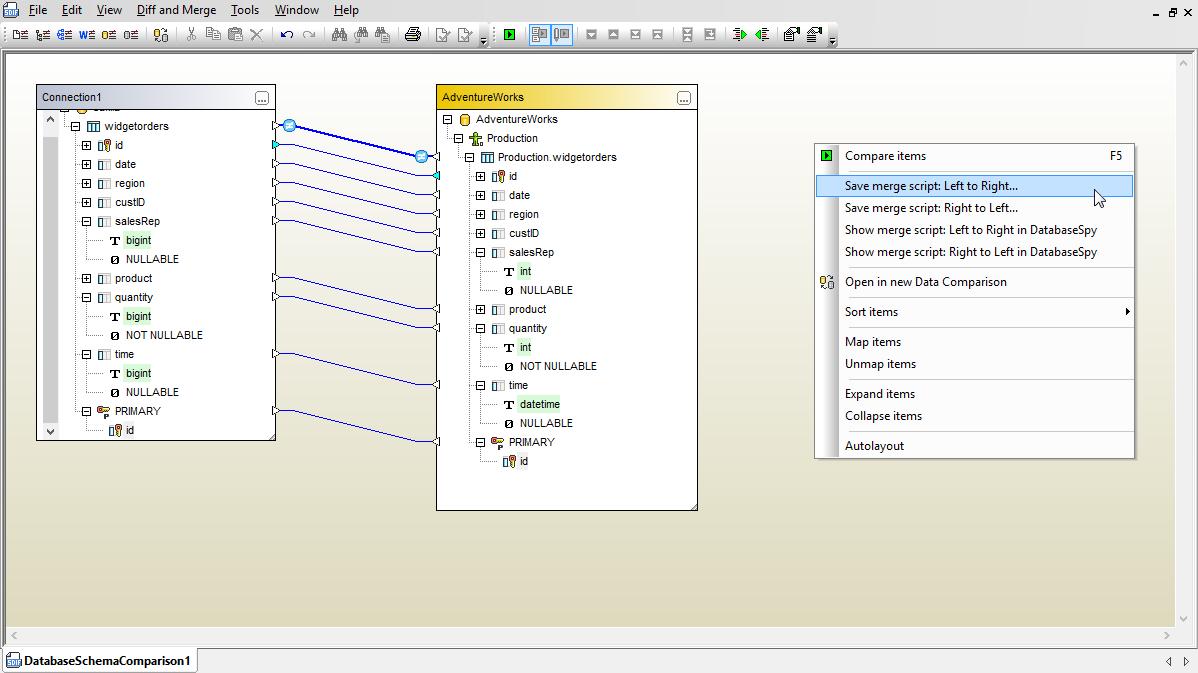
You may choose to compare individual tables, groups of tables, or entire database schemas. Your selections are displayed in the DiffDog® 2012 schema comparison window. When you connect tables to begin the comparison, DiffDog automatically connects matching elements inside the tables.
Map Database Schema ElementsYou can manually connect non-matching elements to compare them. You can also disconnect any automatic connection and re-map it differently.
Compare Database SchemasWhen you click the compare button on the toolbar, DiffDog® 2012 updates the comparison window with colors and icons to indicate differences between your database schemas.
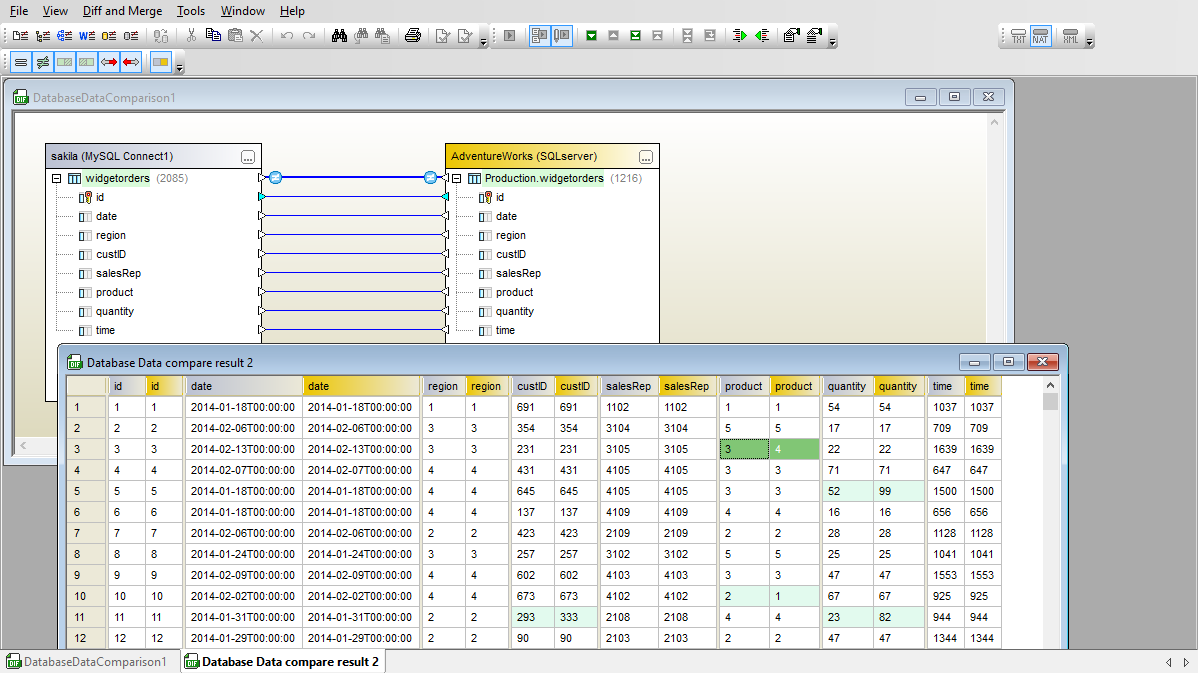
Database Schema Merge OptionsYou can merge differences by clicking either the left- or right-merge button on the toolbar. The right-click context menu offers more comprehensive merge options, including a choice to immediately open a database content comparison for the selected tables.
Whichever merge option you select, DiffDog® 2012 always creates a SQL change script for you to review. You have several options for processing the SQL change script. You can:
SQL dialects and datatypes vary among relational database vendors. DiffDog® 2012 accounts for these inconsistencies and generates a change script compatible with your target database syntax, even if the source database is a different type. As you work on a database project, you are likely to want to perform the same database schema comparison again. DiffDog lets you save all your database schema differencing settings in a file to quickly reload later.
Experience database schema differencing and all the other intuitive features of DiffDog® 2012 for yourself. Click here to download a free 30-day trial! |
| ||||||||||||||||||||||
| Company | Legal | Press | Partners | Careers | Sitemap | Contact Us | Altova Blog | Mobile | Full Site | |||
|