Home. 
.

transparent

transparent

transparent

XML Viewer

XMLSpy® 2012 includes a text-based XML viewer as well as a graphical XML viewer, allowing you to view, validate, and edit XML documents with ease.

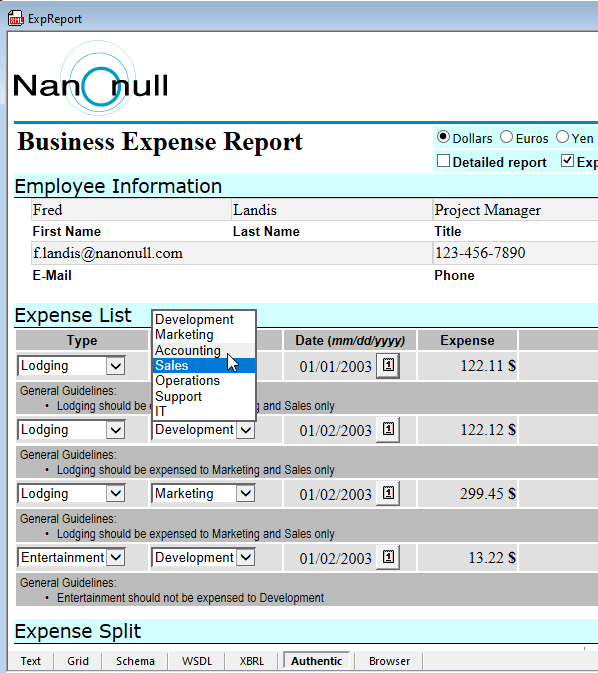
XMLSpy includes seven powerful, synchronized views that allow you to view XML code in various formats, whether you prefer to see the code in text or a graphical view customized for XML instances, schemas, WSDL, XBRL, or other formats. The XMLSpy® 2012 design pane includes view tabs that allow immediate switching between the different XML views.

Download Click here to download a fully functional, free 30-day trial of Altova XMLSpy!

XML Viewer - Text View

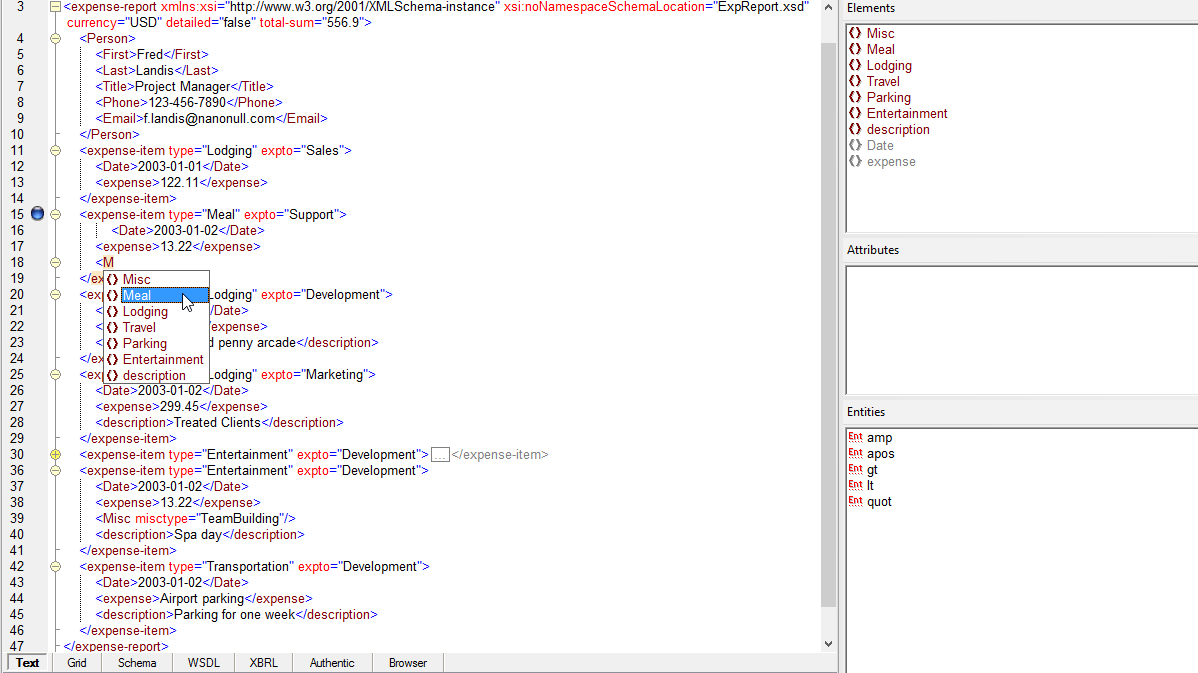
When you open an XML document in the text-based XML viewer, XMLSpy provides numerous features to help you visualize, navigate, and understand the structure of the file.

Customizable syntax coloring in Text View displays the different components of the XML document - elements, attributes, content, and so on - in different colors for immediate understanding.

Line numbering allows for easy file navigation. You can go directly to any line and character number using a button on the XMLSpy® 2012 toolbar. Bookmarking lets you set points of reference in the text that you can jump back to at any time. Bookmarks are displayed in the margin adjacent to the line numbers.

Source folding lets you expand and collapse portions of the XML file you are viewing, taking advantage of the hierarchical structure of XML to present your document in a neat and orderly manner. Indentation guides show the logical links between corresponding opening and closing element tags within the file.

Another useful feature of the text-based XML viewer is the pretty-print button, which reformats your XML document by indenting opening and closing element tags so that the layout reflects the structure of the document. Pretty printing makes it easier for the human eye to scan and understand the XML markup, and edit the XML document.

Intelligent XML editing features such as code completion, context-sensitive entry helper windows and drop down menus, and more make the job easy.

XML Viewer Text View

XML Viewer - Grid View

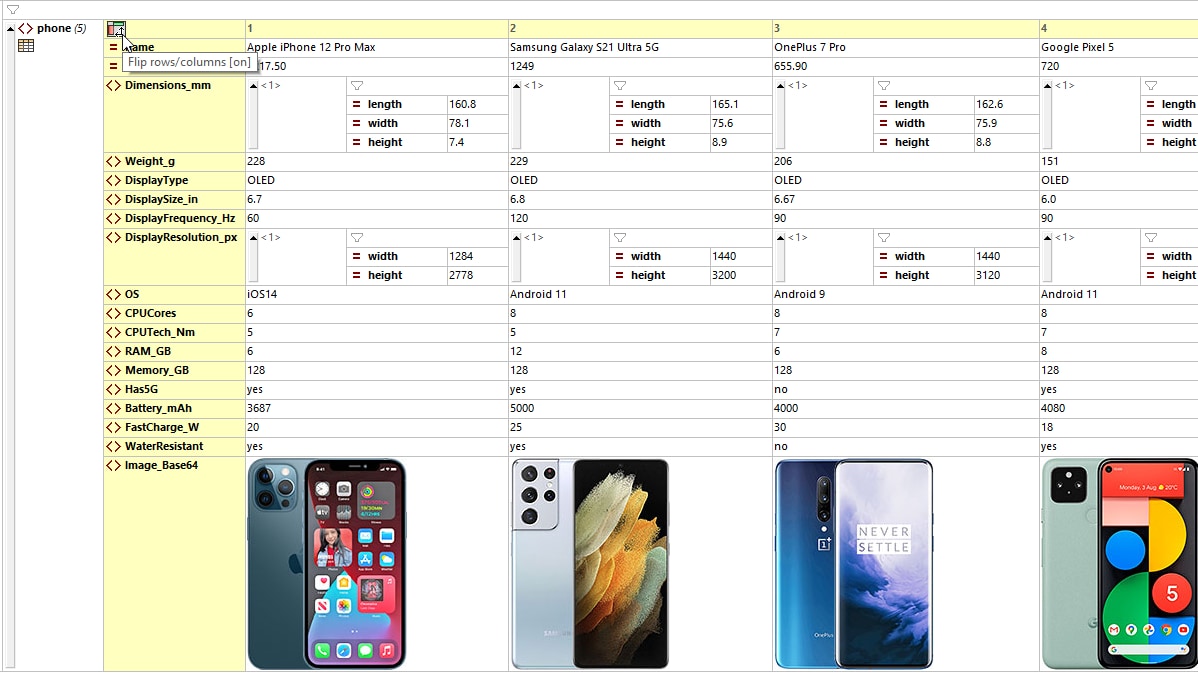
For a graphical XML viewer, simply click over to XMLSpy's Grid View, which shows the hierarchical structure of any XML-compliant document through a set of nested containers. These can be easily expanded and collapsed to get a clear picture of the XML document's tree-like structure. The grid XML viewer allows you to directly manipulate your document while analyzing its heirarchy in a graphical manner, using advanced drag-and-drop, intelligent XML editing functions.

Graphical XML viewer

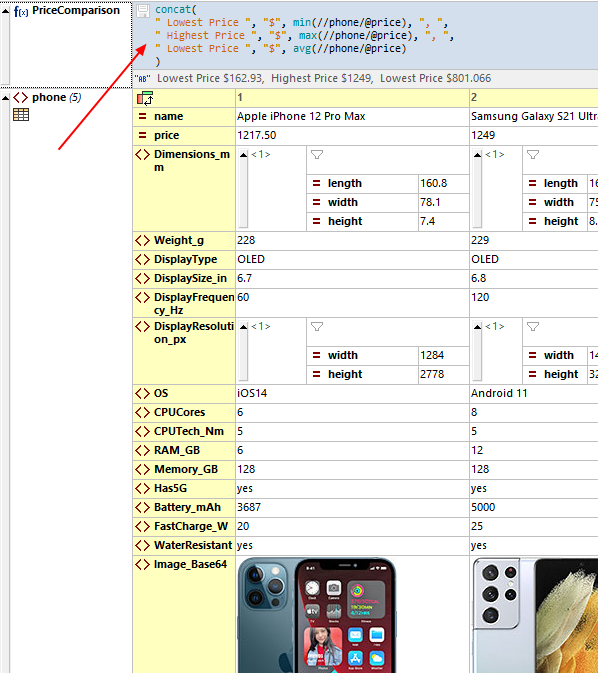
XML Grid View also includes database/table view, which automatically detects sequences of repeating elements and rearranges the presentation to show these elements in a tabular grid. The tabular view is a well-known paradigm that resembles database- or spreadsheet-like applications. The XML viewer achieves this database/table representation by showing the respective attributes and sub-elements of the repeating element as columns in the table.

Other Advanced XML Views

In addition to grid view, XMLSpy includes graphical views for visualizing the structure of XML Schemas, XBRL taxonomies, and WSDL files.

Intelligent XML Editing

In addition to helpful features for viewing XML documents, the intelligent XML editing capabilities of XMLSpy help save time and reduce the occurrence of errors, easing development and increasing your productivity:

See how the powerful, synchronized views of the XMLSpy XML viewer can help you visualize, understand, and edit any type of XML file - Download a free 30-day trial of XMLSpy.


transparent
Download
Pricelist
Buy
Video
Comparison
Datasheet
Print
Mail
Like It
.
.
.

transparent

transparent