XPath Development Tools
Easy-to-Use Tools for Editing and Debugging XPath
Easy-to-Use Tools for Editing and Debugging XPath
XPath (XML Path Language) is syntax for selecting the elements and attributes of an XML document by navigating its tree-like structure. Developers use XPath expressions to select XML nodes or node-sets based on a variety of criteria.
There are three versions of XPath currently in use: 1.0, 2.0, and 3.0. The most recent versions of XPath are the result of the combined efforts of the W3C XSL and XQuery Working Groups, and, in fact, XQuery is an extension of XPath.
Altova provides easy-to-use XPath tools across the product line with support for editing, testing, and perfecting expressions for use in desktop and mobile app development, with support for XPath 1.0 - 3.1.
Check out our helpful XPath Reference page to learn about the functions and operators used to write XPath expressions. We also offer the Quick Intro to XPath tutorial and complete online XPath training course, both of which are free.
New to XPath? See How it Compares to SQL.
Writing XPath expressions often includes some trial and error, and the XMLSpy XPath Tester and Evaluator makes editing and testing your expressions as you compose them quick and easy.
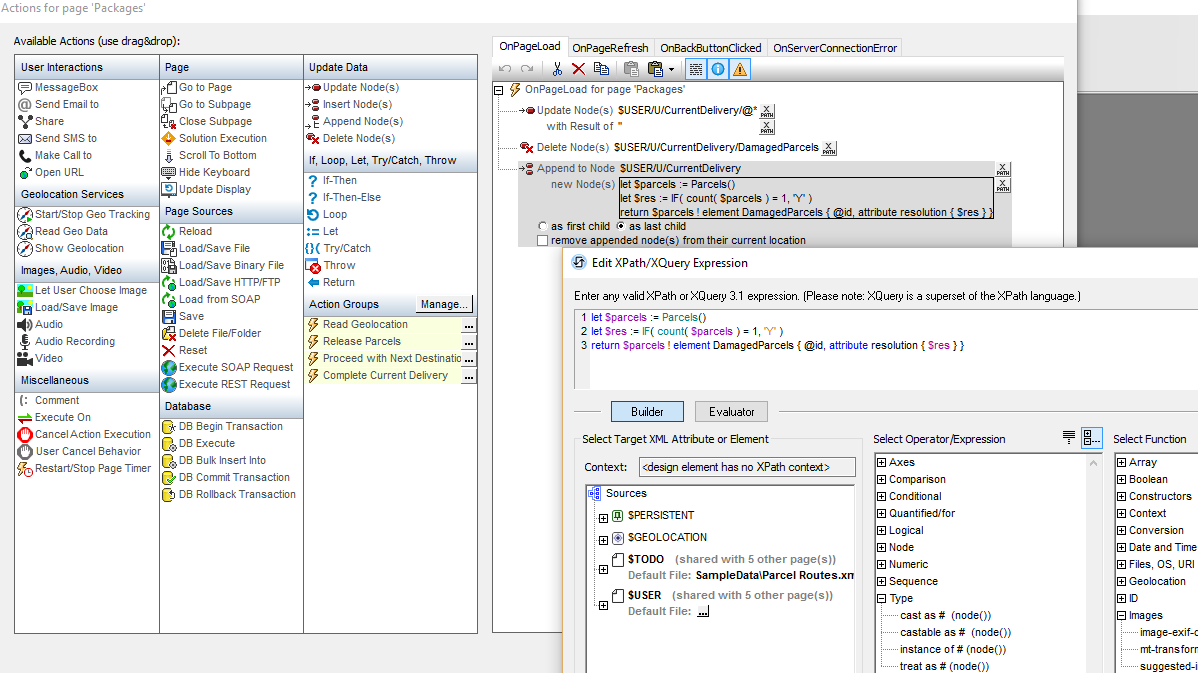
The XPath/XQuery Window provides point and click expression building, XPath auto-complete, mouse-over hints, advanced entry helpers, and even built-in code snippets. Select Builder mode for intelligent editing guidance and Evaluator mode to immediately see the results your expression returns. This functionality greatly speeds XPath development.
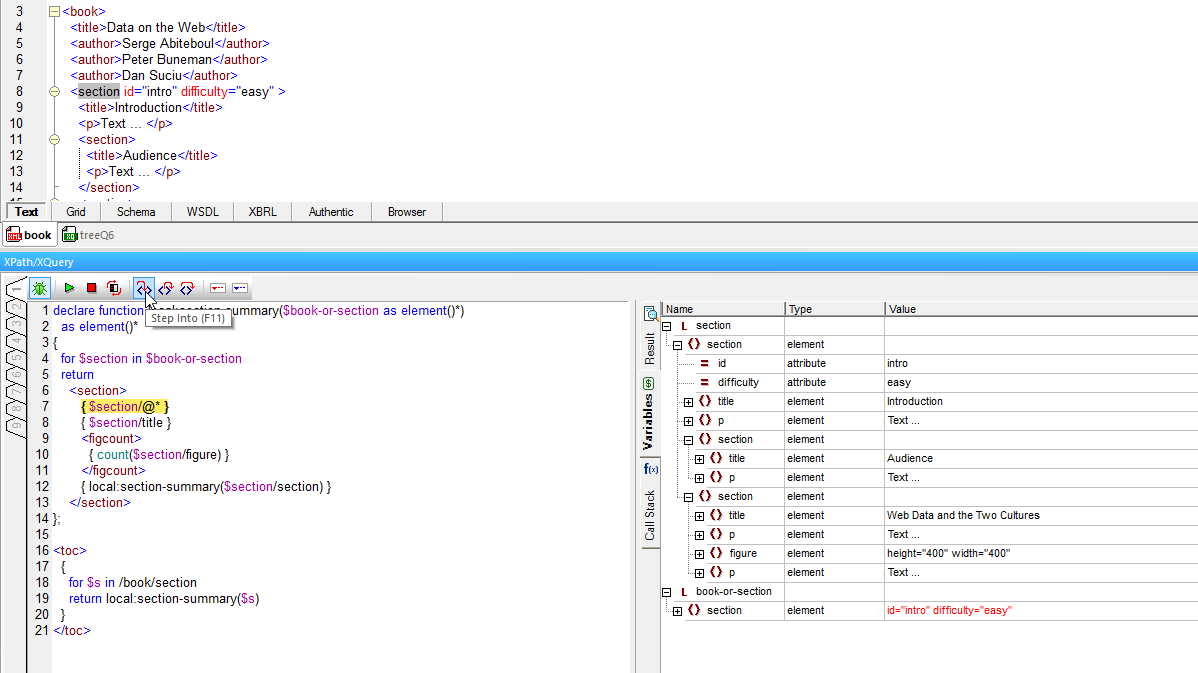
For longer expressions, it can be useful to move through the evaluation step by step. That’s where the unique XPath/XQuery debugger comes in. The first of its kind, this window lets you test, troubleshoot, and perfect your XPath expressions faster and easier than ever before.
XPath is an efficient formula and expression language well suited for defining the front and back end logic of data-centric mobile apps. The MobileTogether mobile development framework utilizes XPath and XQuery for data selection in mobile workflows, chart generation, UI customization and more, capitalizing on the benefits of an international standard that’s both powerful and easy to learn.
Like XMLSpy, MobileTogether provides an intelligent XPath Editor with builder and evaluator modes, a schema tree for visualizing data sources, and more, making it easy to develop and test XPath and XQuery expressions.